getBoundingClientRect
-
用法
domRect = element.getBoundingClientRect(); -
图解
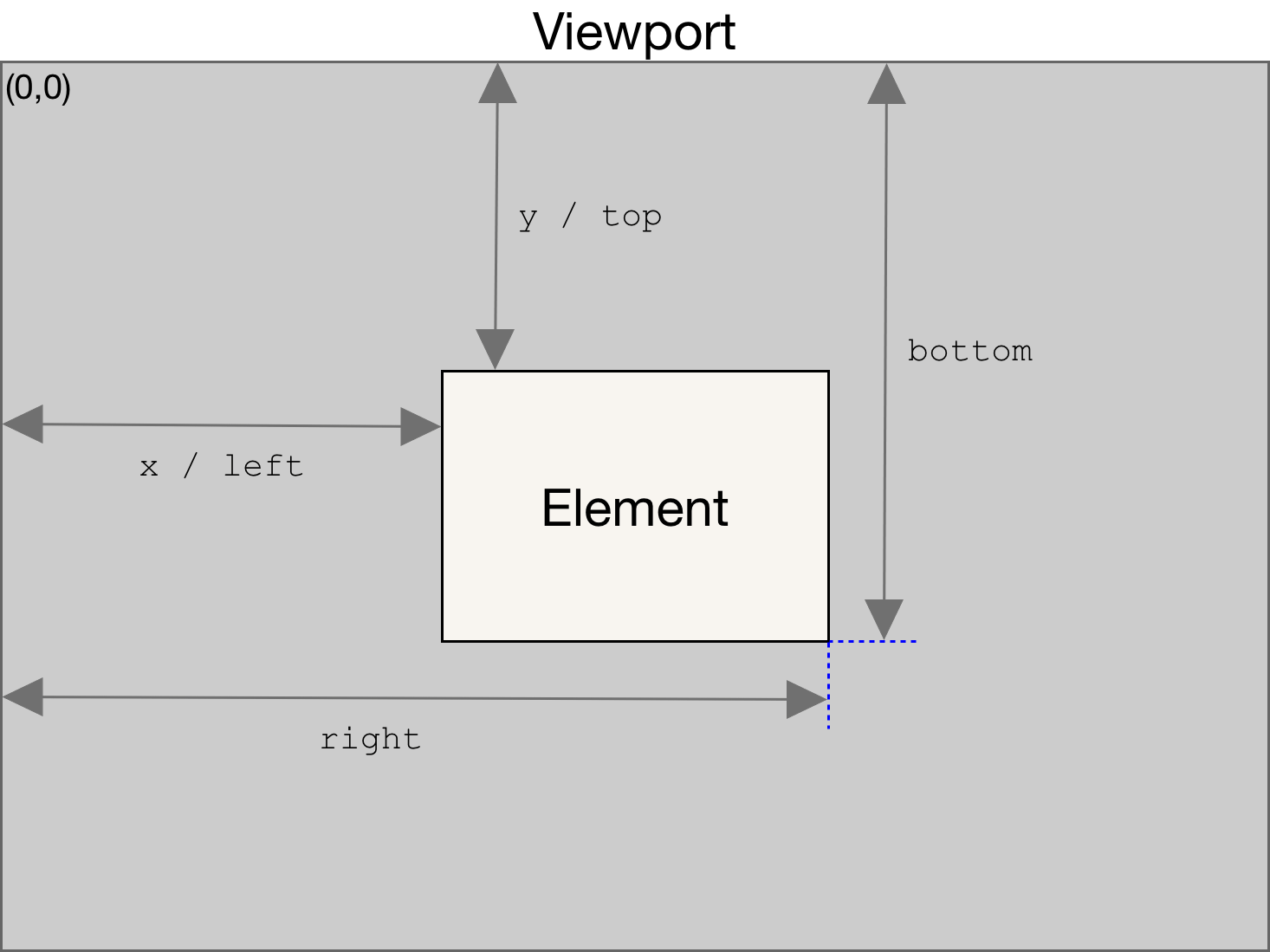
The returned value is a DOMRect object which is the smallest rectangle which contains the entire element, including its padding and border-width.
返回值是一个DOMRect对象,该对象是包含这个元素的最小矩形,包括了content + padding + borderThe width and height properties of the DOMRect object returned by the method include the padding and border-width, not only the content width/height.
该对象内的 width、height 包含 content + padding + border,而不仅是 content
Element.scrollHeight
-
用法
elemScrollHeight = element.scrollHeight; -
图解
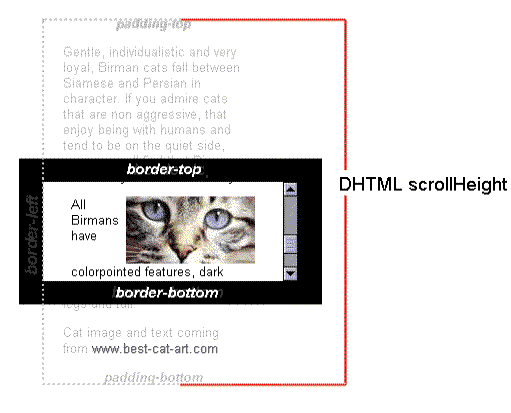
The Element.scrollHeight read-only property is a measurement of the height of an element’s content, including content not visible on the screen due to overflow.
scrollHeight是一个仅读属性,它包括了元素内容的不可见部分的高度 (元素整体的content + padding + scrollbar)
Element.clientHeight
-
用法
var intElemClientHeight = element.clientHeight; -
图解
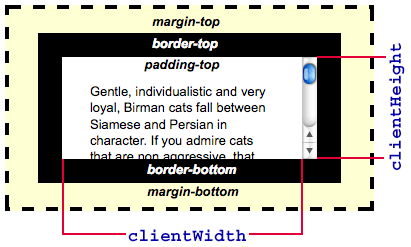
The Element.clientHeight is read-only property, it’s the inner height of an element in pixels. It includes padding but excludes borders, margins, and horizontal scrollbars (if present).
clientHeight 是仅读属性,包括元素 (可见部分) 的content + padding,不包括border、margin、scrollbar
HTMLElement.offsetTop
-
用法
topPos = element.offsetTop; -
图解
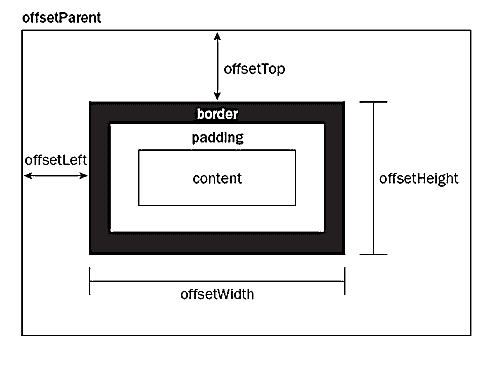
The HTMLElement.offsetTop read-only property returns the distance of the outer border of the current element relative to the inner border of the top of the offsetParent node.
offsetTop 是仅读属性,表示该元素的边框外侧距最近offsetParent边框内侧之间的距离
注:offsetParent并不一定是父元素,而是最近的相对定位的祖先,如果没有则是body
Element.scrollTop
-
用法
var intElemScrollTop = someElement.scrollTop; -
图解
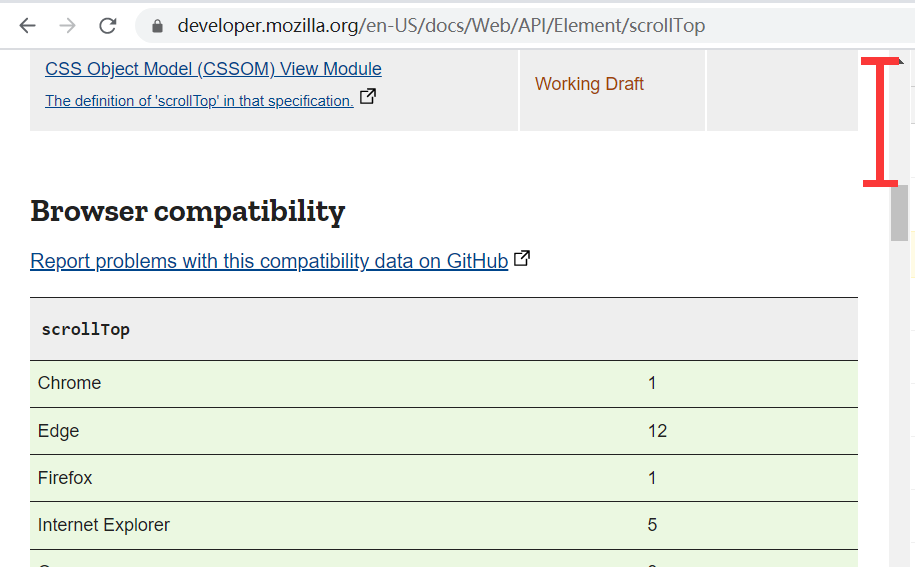
The Element.scrollTop property gets or sets the number of pixels that an element’s content is scrolled vertically.
scrollTop 是可读写的属性,它表示一个可滚动元素垂直方向上翻滚上去的内容高度
注:html的scrollTop 与 window.scrollX 相同
注: 以上属性每种只举了其中一个说明,例如height,但应该知道width也是类似的即可
参考
Element.getBoundingClientRect
Element.scrollHeight
Element.clientHeight
HTMLElement.offsetTop
Element.scrollTop
最后
以上就是寂寞小鸭子最近收集整理的关于DOM元素获取位置信息各类方法图示的全部内容,更多相关DOM元素获取位置信息各类方法图示内容请搜索靠谱客的其他文章。








发表评论 取消回复