1 远程jupyter notebook
在服务器端以如下方式启动jupyter:
jupyter notebook --ip 0.0.0.0
结果如下:
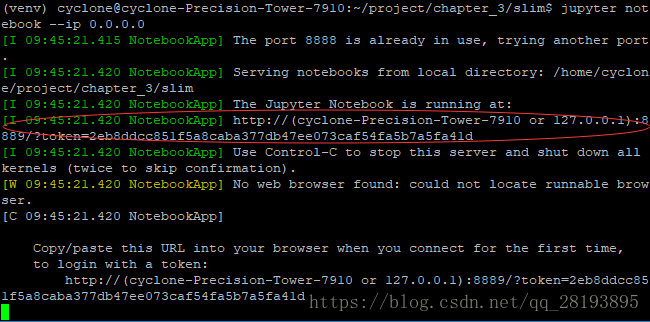
本地输入上述网址,将括号中的内容替换为服务器IP,即可启动
2 远程TensorBoard
远程登录服务器时使用如下:
ssh -L 16006:127.0.0.1:6006 username@remote_server_ip
在服务器端使用如下代码:
tensorboard --logdir=xxx --port=6006
在本地浏览器中输入地址:
127.0.0.1:16006
最后
以上就是粗暴狗最近收集整理的关于【TensorFlow】远程使用jupyter和TensorBoard的全部内容,更多相关【TensorFlow】远程使用jupyter和TensorBoard内容请搜索靠谱客的其他文章。
本图文内容来源于网友提供,作为学习参考使用,或来自网络收集整理,版权属于原作者所有。








发表评论 取消回复