写论文的时候,时常需要我们将算法以伪代码的形式展示出来,我们都知道latex可以帮我们生成一个漂亮的伪代码格式,但是在word中我们该如何加入呢?
可以使用Aurora插件实现。Latex in word
1. 插入算法伪代码
在Word2016中点击插入->对象->选择Aurora Equation
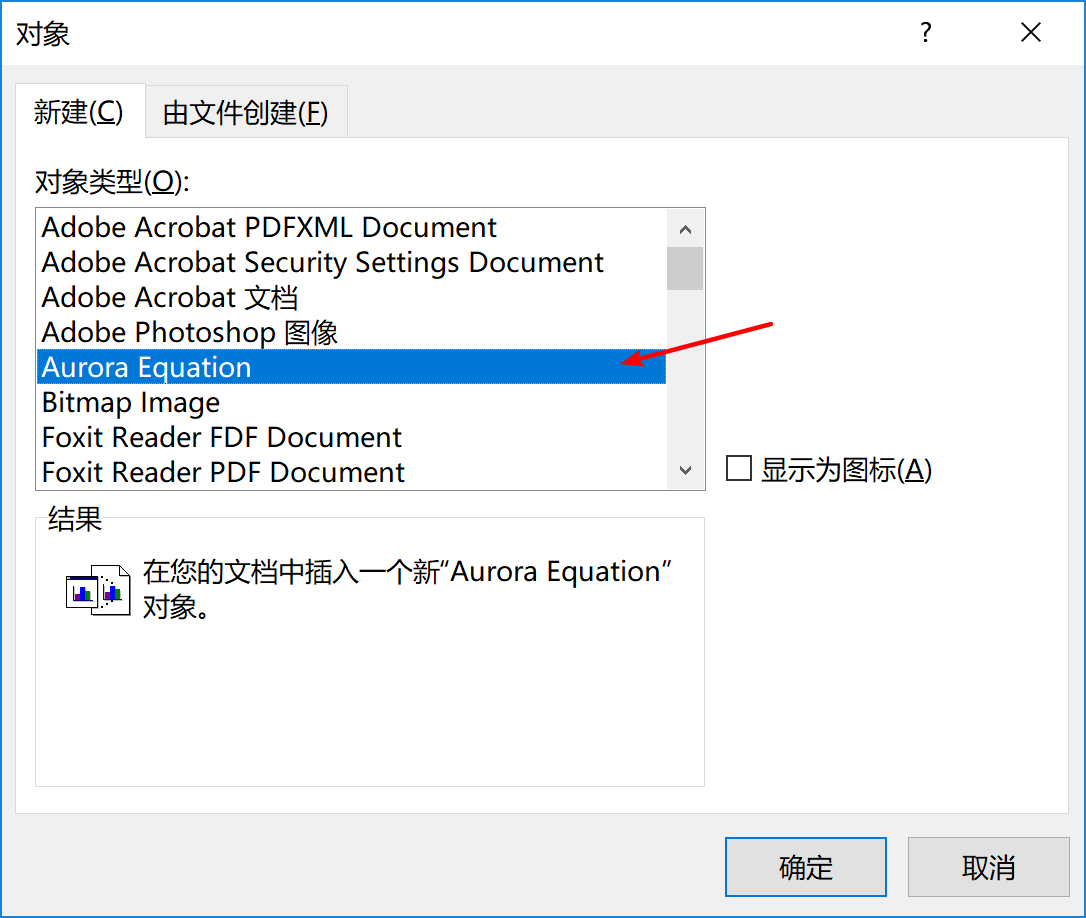
此时会打开Aurora公式编辑框,在其中写入:
renewcommand{thealgorithm}{1}
begin{algorithm}[H]
caption{*******************************************}
label{ABCLFRS}
begin{algorithmic}[1]
Require{S,$lambda$,T,k}
Ensure{$mathbf{w}_{222}$}\
textbf{initialize}: Set $mathbf{w}_1 = 0$
For{$t = 1,2,...,T$}
State Choose $A_t subset[m]$
EndFor
end{algorithmic}

end{algorithm}并在编辑框中的Properties菜单中的Packages选项卡中填入所用到的包:
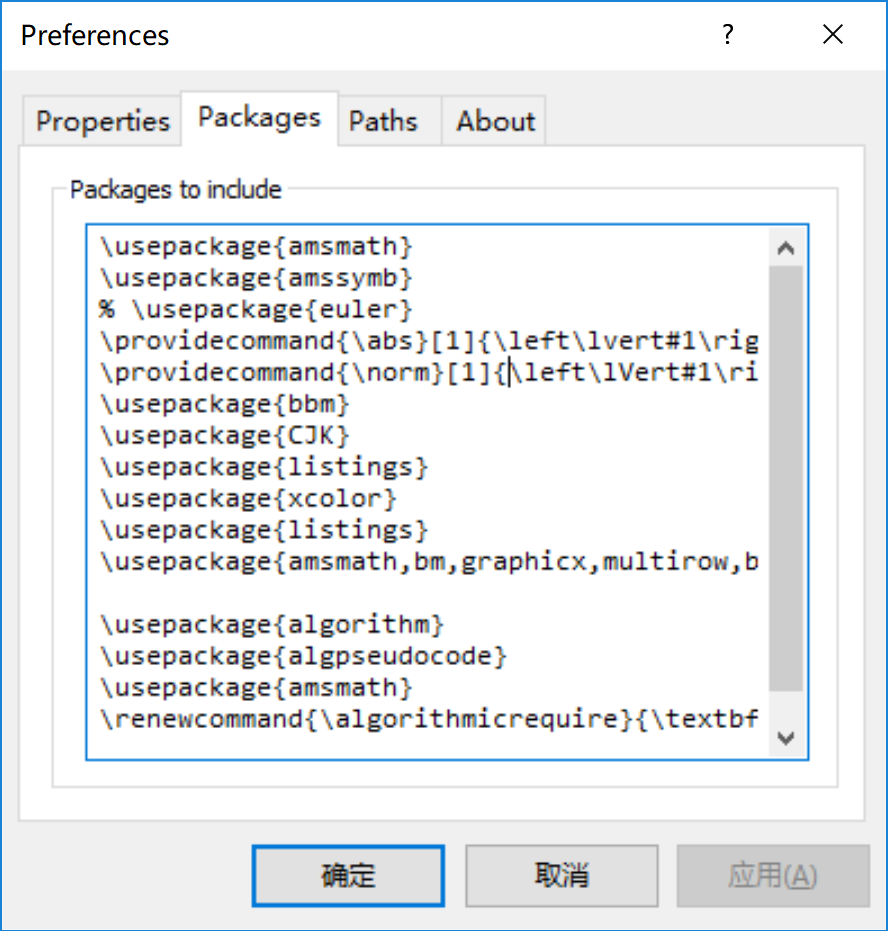
usepackage{amsmath}
usepackage{amssymb}
% usepackage{euler}
providecommand{abs}[1]{leftlvert#1rightrvert}
providecommand{norm}[1]{leftlVert#1rightrVert}
usepackage{bbm}
usepackage{CJK}
usepackage{listings}
usepackage{xcolor}
usepackage{listings}
usepackage{amsmath,bm,graphicx,multirow,bm,bbm,amssymb,psfrag,algorithm,subfigure,color,mdframed,wasysym,subeqnarray,multicol}

usepackage{algorithm}
usepackage{algpseudocode}
usepackage{amsmath}
renewcommand{algorithmicrequire}{textbf{Input:}}
renewcommand{algorithmicensure}{textbf{Output:}}
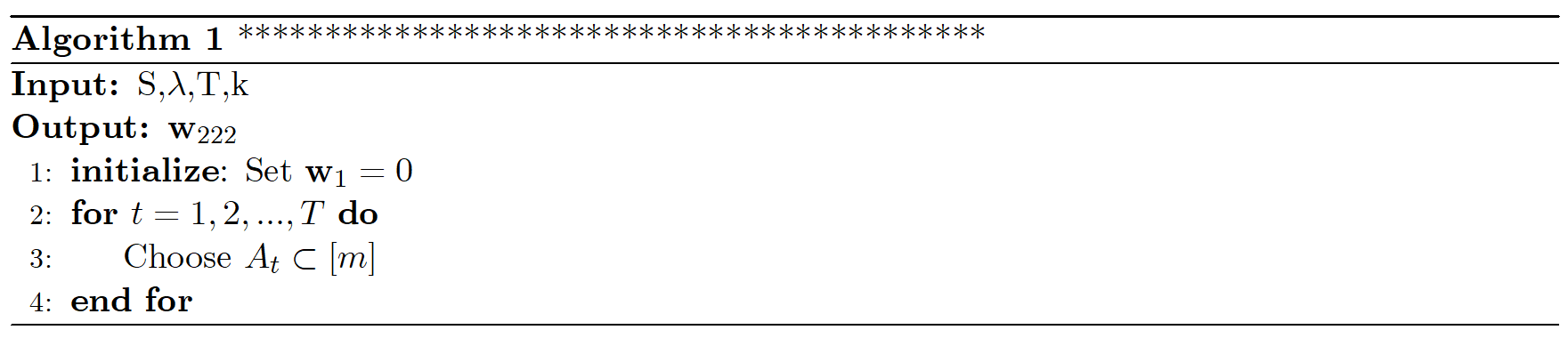
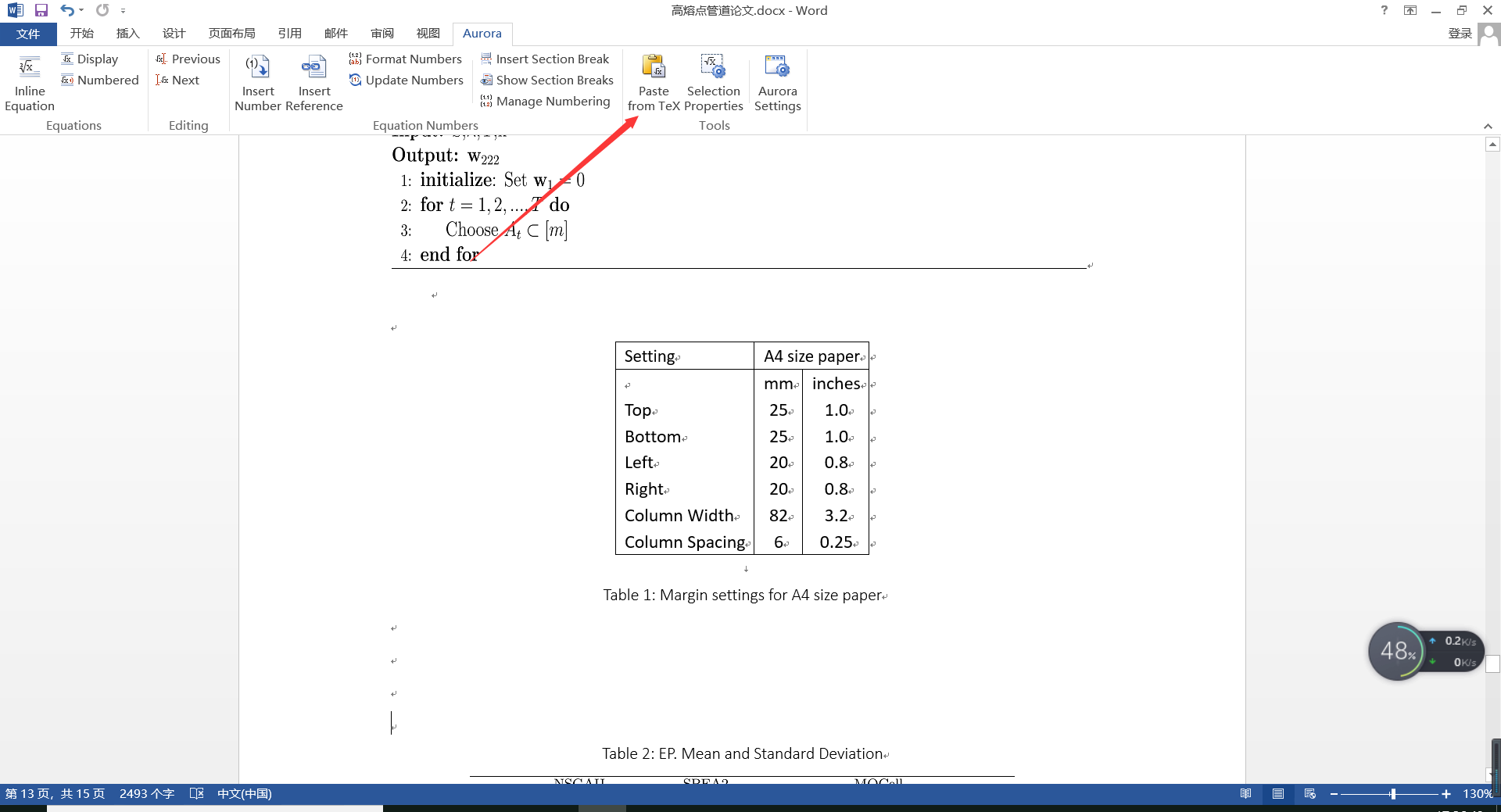
最后Refresh一下,就可以得到最终的伪代码了,如下图所示:
2. 插入表格
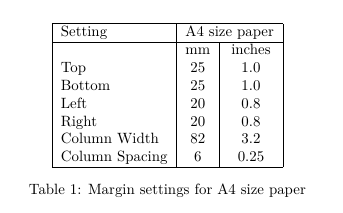
假设您需要将下面的latex转换到word中,又不想改变其排版方式,可以通过Aurora轻松帮您实现。
推荐一个excel转为latex的excel插件:https://ctan.org/tex-archive/support/excel2latex/
begin{table}
    centering
    begin{tabular}{|l|c|c|}hline
        Setting&multicolumn{2}{c|}{A4 size paper}\hline
        &mm&inches\
        Top&25&1.0\
        Bottom&25&1.0\
        Left&20&0.8\
        Right&20&0.8\
        Column Width&82&3.2\
        Column Spacing&6&0.25\hline
    end{tabular}
    caption{Margin settings for A4 size paper}
end{table}
将上述的latex代码Ctrl+c复制,到word中找到Aurora选项卡,选择paste from tex选项即可。
3. 插入公式
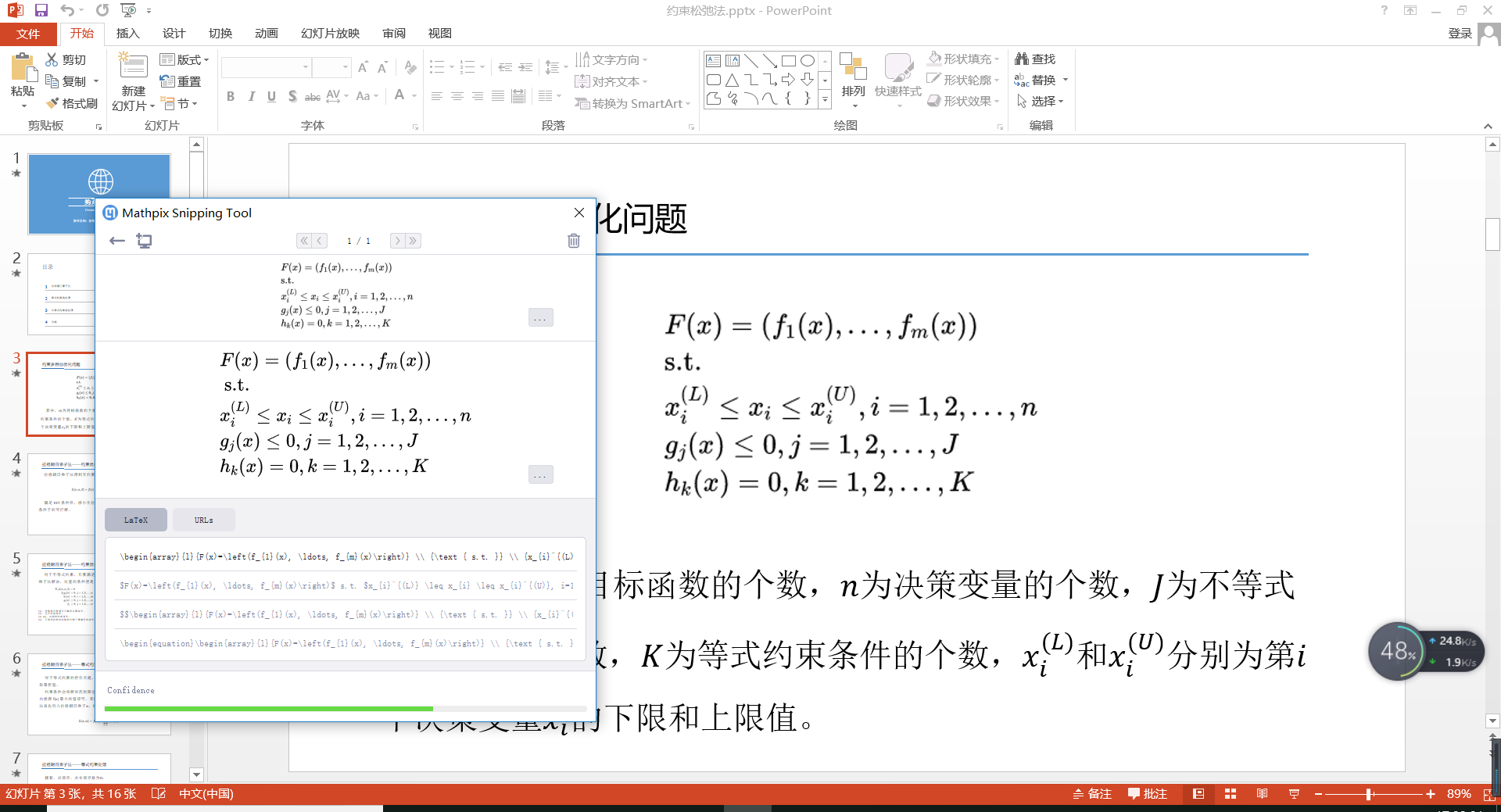
这里推荐一个软件Mathpix,这个软件可以直接截图,将图片中的公式自动转换为latex代码,这样我们就可以直接像上面的做法一样,将latex代码导入到word中。
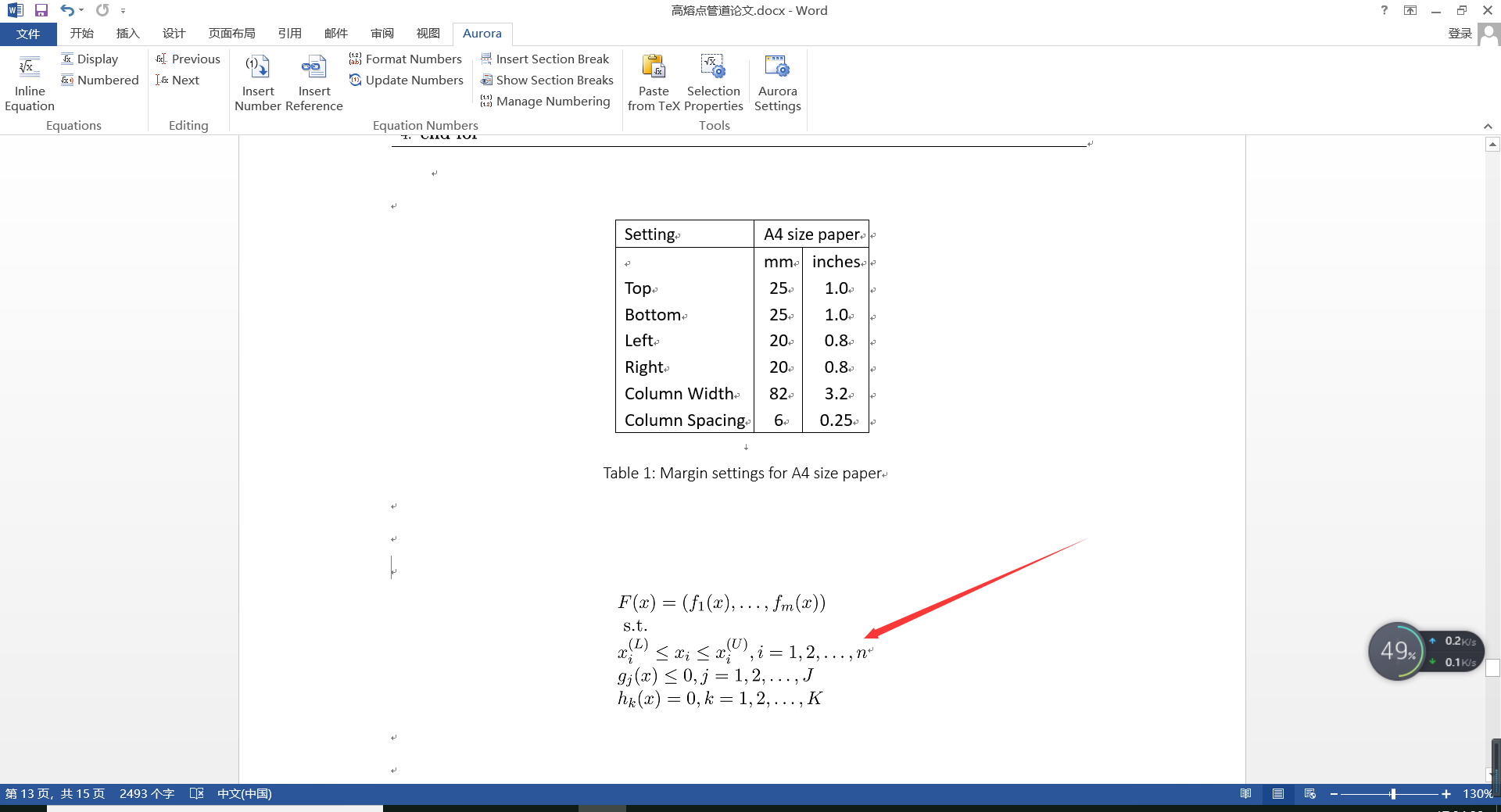
导入到word中的效果如下所示:
最后
以上就是魁梧飞机最近收集整理的关于【Aurora】在word中插入算法伪代码、表格和公式1. 插入算法伪代码2. 插入表格3. 插入公式的全部内容,更多相关【Aurora】在word中插入算法伪代码、表格和公式1.内容请搜索靠谱客的其他文章。
本图文内容来源于网友提供,作为学习参考使用,或来自网络收集整理,版权属于原作者所有。








发表评论 取消回复