1、背景介绍
目前在做的项目中需要对操作系统进行快速启动,由于选择的是银河麒麟操作系统,故下文是针对该操作系统的启动优化,其他操作系统可以参考。
2、修改菜单等待时间
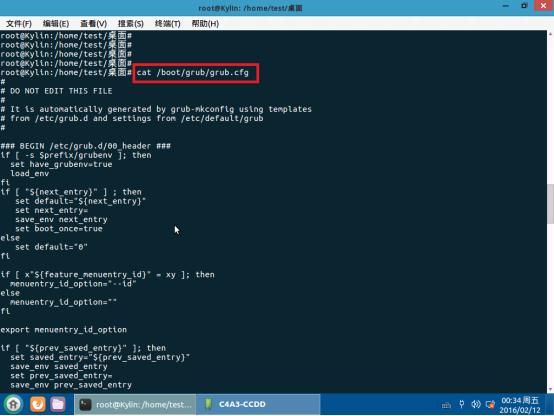
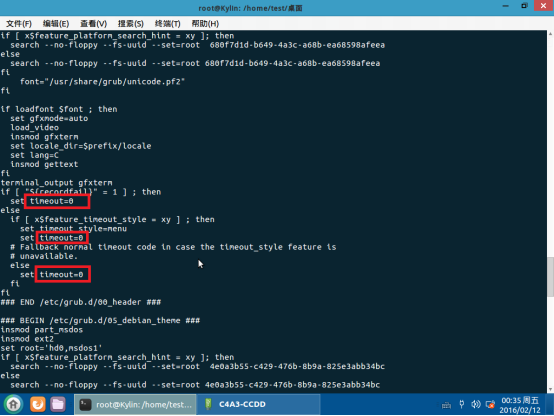
首先修改/boot/grub/grub.cfg中的timeout,全部改为0
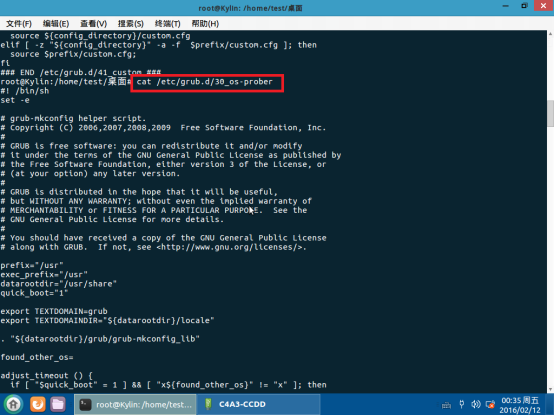
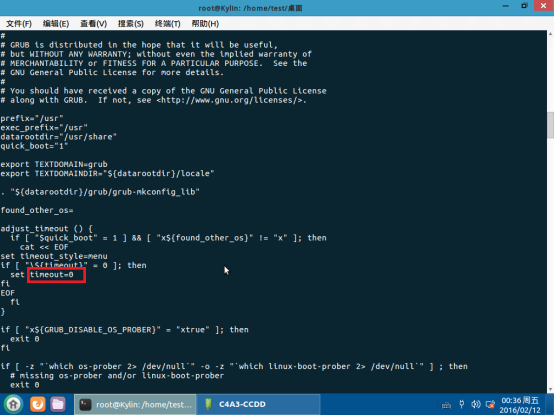
然后修改/etc/grub.d/30_os-prober中的timeout,也全部改为0
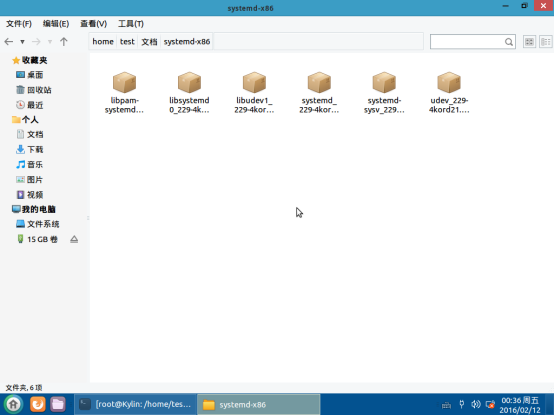
3、安装麒麟操作系统验证deb包
安装目录下的验证包后能在启动时跳过系统验证
进入目录执行 dpkg –i *.deb
4、关闭不必要的服务
可以关闭的服务如下:
systemctl disable lvm2-monitor.service

systemctl disable accounts-daemon.service

systemctl disable lm-sensors.service

systemctl disable kylin-dmesg.service

systemctl disable cups.path

systemctl disable cups-browsed.service

systemctl disable cups.service

systemctl disable NetworkManager-wait-online.service

systemctl disable remote-fs.target

systemctl disable lvm2-lvmetad.socket

systemctl disable lvm2-lvmpolld.socket

systemctl disable kylin-activation-check.service

systemctl disable apt-daily.timer

systemctl disable pppd-dns.service
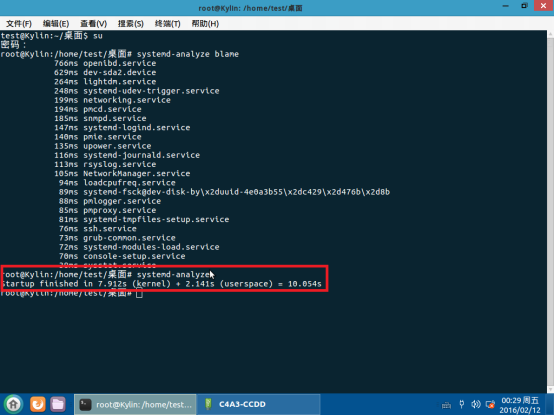
下面列出系统中启动的服务和关闭的服务
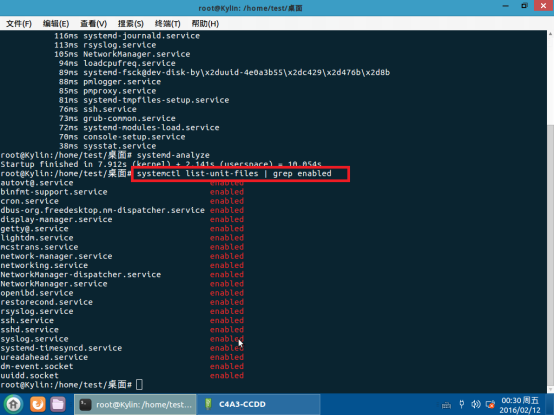
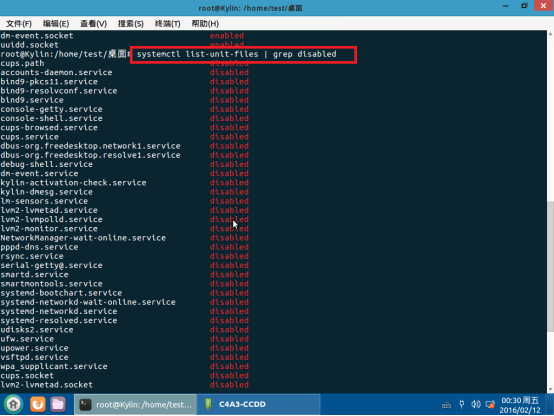
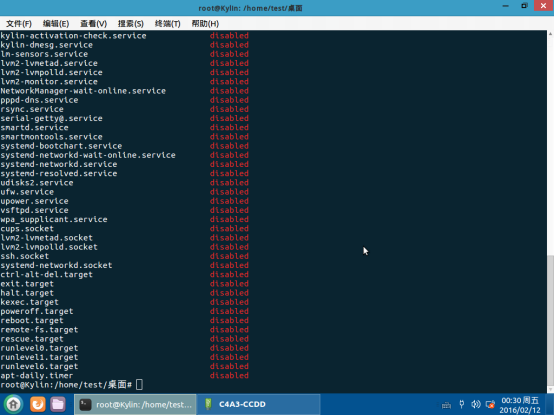
全部优化后启动时间为10s
最后
以上就是无情砖头最近收集整理的关于麒麟快速启动方案的全部内容,更多相关麒麟快速启动方案内容请搜索靠谱客的其他文章。
本图文内容来源于网友提供,作为学习参考使用,或来自网络收集整理,版权属于原作者所有。





![linux防火墙状态centos6一下,一、service方式查看防火墙状态:[root@centos6 ~]# service iptables statusiptables:未运行防火墙...](https://www.shuijiaxian.com/files_image/reation/bcimg1.png)


发表评论 取消回复