运行效果: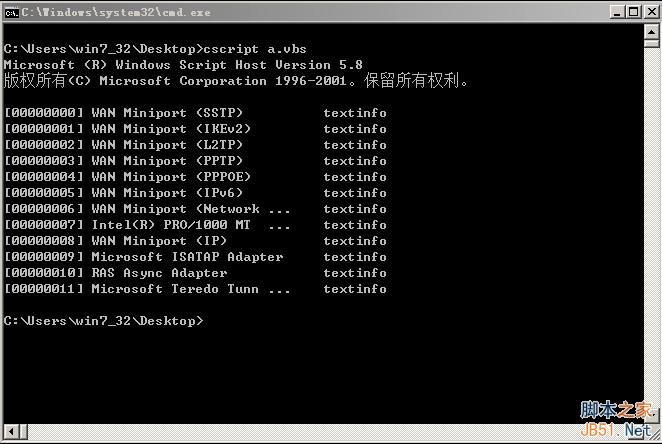
代码(fOutput.vbs):
复制代码 代码如下:
strComputer = "."
Set objWMIService = GetObject("winmgmts:\\" & strComputer & "\root\CIMV2")
Set colItems = objWMIService.ExecQuery( _
"SELECT * FROM Win32_NetworkAdapterConfiguration",,48)
For Each objItem in colItems
Wscript.Echo objItem.Caption & fOutput(objItem.Caption) & "textinfo"
Next
Function fOutput(strName)
strLen = Len(strName)
Select Case True
Case strLen < 8
fOutput = chr(9) & chr(9) & chr(9) & chr(9) & chr(9)
Case strLen < 16
fOutput = chr(9) & chr(9) & chr(9) & chr(9)
Case strLen < 24
fOutput = chr(9) & chr(9) & chr(9)
Case strLen < 32
fOutput = chr(9) & chr(9)
Case strLen < 40
fOutput = chr(9)
Case Else
'超过40的只取前32位
For K = 1 To strLen - 32
fOutput = fOutput & chr(8)
Next
fOutput = fOutput & " ..." & chr(9)
End Select
End Function
原文:https://www.enun.net/?p=2381
最后
以上就是神勇咖啡豆最近收集整理的关于VBScript 输出中的对齐实现方法的全部内容,更多相关VBScript内容请搜索靠谱客的其他文章。
本图文内容来源于网友提供,作为学习参考使用,或来自网络收集整理,版权属于原作者所有。








发表评论 取消回复