参考自:https://blog.csdn.net/qq_36470920/article/details/88715135
1. 修改cmakelist.txt
打开cmake的demo编译选项
option(DEMO "build the demo" ON)
2. 编译
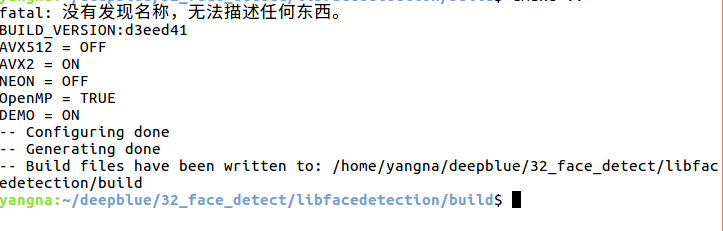
mkdir build
cd build
cmake ..
make

3. 测试
cd build
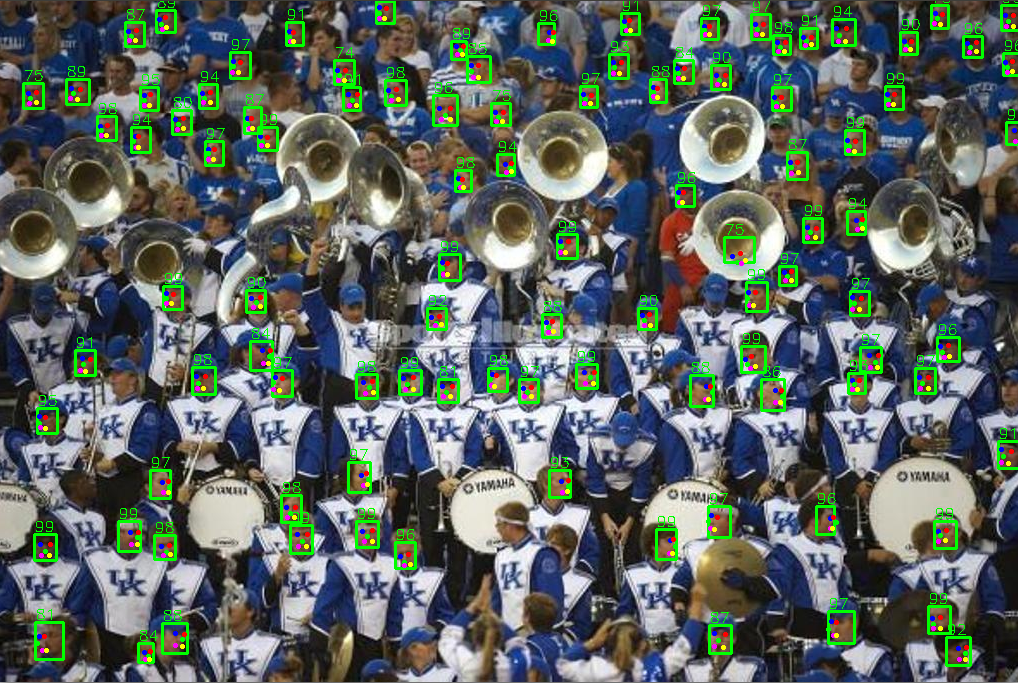
./detect-image-demo ../images/000038.jpg
结果
images/000388.jpg
time = 58.0042ms
100 faces detected.
face 0: confidence=99, [579, 363, 22, 25] (587,371) (597,371) (593,376) (588,382) (596,382)
face 1: confidence=99, [848, 129, 20, 25] (850,139) (858,140) (852,145) (851,149) (857,150)
最后
以上就是默默荷花最近收集整理的关于【人脸检测】ubuntu16.04编译libfacedetection的全部内容,更多相关【人脸检测】ubuntu16内容请搜索靠谱客的其他文章。
本图文内容来源于网友提供,作为学习参考使用,或来自网络收集整理,版权属于原作者所有。








发表评论 取消回复