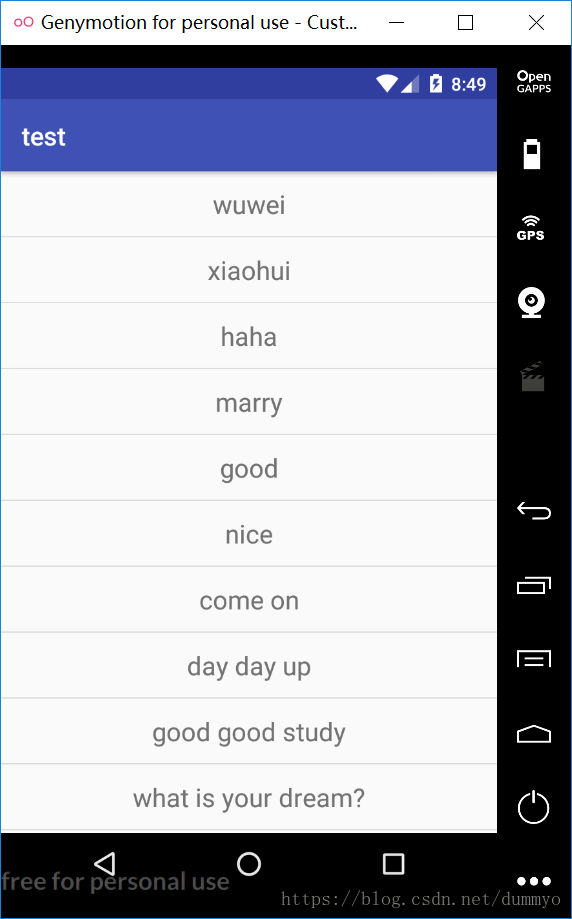
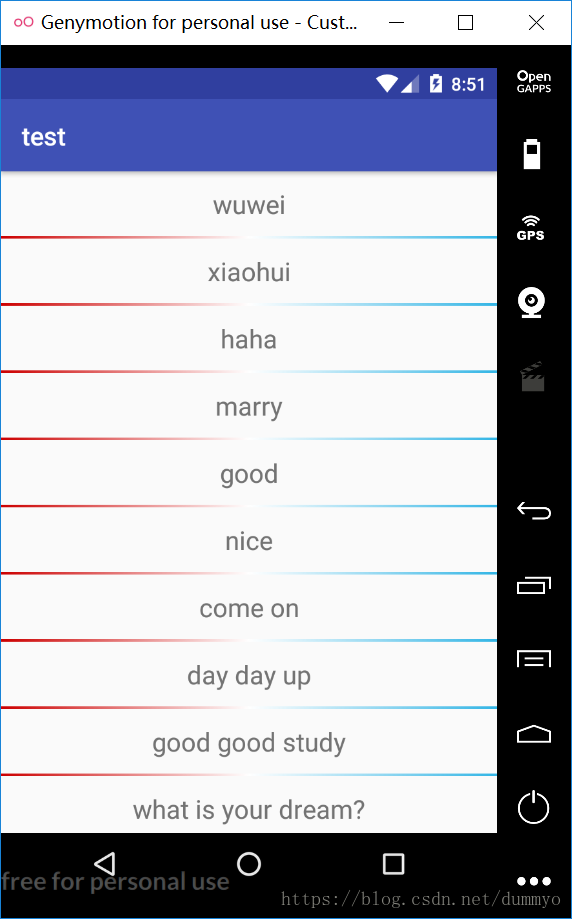
效果图:
默认分割线: 自定义分割线:
看代码:
1. 添加默认分割线:
mRecylerView.addItemDecoration(new DividerItemDecoration(this,DividerItemDecoration.VERTICAL));
2. 自定义分割线(分两步,①创建drawable文件 ②为recylerview添加drawable分割线)
①创建drawable
<?xml version="1.0" encoding="utf-8"?>
<shape xmlns:android="http://schemas.android.com/apk/res/android" android:shape="rectangle">
    <gradient android:startColor="@android:color/holo_red_dark"
              android:centerColor="@android:color/white"
              android:endColor="@android:color/holo_blue_light"/>
    <size android:height="2dp"/>
</shape>
②创建drawable对象,给recylerview添加
DividerItemDecoration dividerItemDecoration = new DividerItemDecoration(this, DividerItemDecoration.VERTICAL);
dividerItemDecoration.setDrawable(ResourcesCompat.getDrawable(getResources(), R.drawable.recylerview_divider, null));
mRecylerView.addItemDecoration(dividerItemDecoration);
最后
以上就是简单戒指最近收集整理的关于Recylerview添加分割线与自定义分割线的全部内容,更多相关Recylerview添加分割线与自定义分割线内容请搜索靠谱客的其他文章。
本图文内容来源于网友提供,作为学习参考使用,或来自网络收集整理,版权属于原作者所有。








发表评论 取消回复