API-findContours
作用:检测图像的轮廓信息,输出各个轮廓中存放的像素坐标
函数原型如下:
参数及其含义如下:
全部代码-单个物体
注意以下代码与对多个物体进行框选的代码的不同。
#include <opencv2/opencv.hpp>
#include <iostream>
using namespace std;
using namespace cv;

int main() {
	Mat src, Gau_src, gray_src, binary_src;
	src = imread("D:/images/hand.jpg");
	if (src.empty()) {
		cout << "Could not load the image ...." << endl;
		return -1;
	}
	imshow("input_image", src);
	GaussianBlur(src, Gau_src, Size(5, 5), 0, 0, 4);
	imshow("Gau_src", Gau_src);
	cvtColor(Gau_src, gray_src, COLOR_BGR2GRAY);
	imshow("gray_src", gray_src);
	threshold(gray_src, binary_src,100,255,THRESH_BINARY);
	imshow("binary_src", binary_src);

	vector<vector<Point>>contours;
	findContours(binary_src, contours, 0, 2, Point());

	for (int n = 0; n < contours.size(); n++) {
		Rect rect = boundingRect(contours[n]);
		rectangle(src, rect, Scalar(0, 0, 255), 1);
	}
	imshow("output_image", src);
	waitKey(0);
	return 0;
}
效果展示
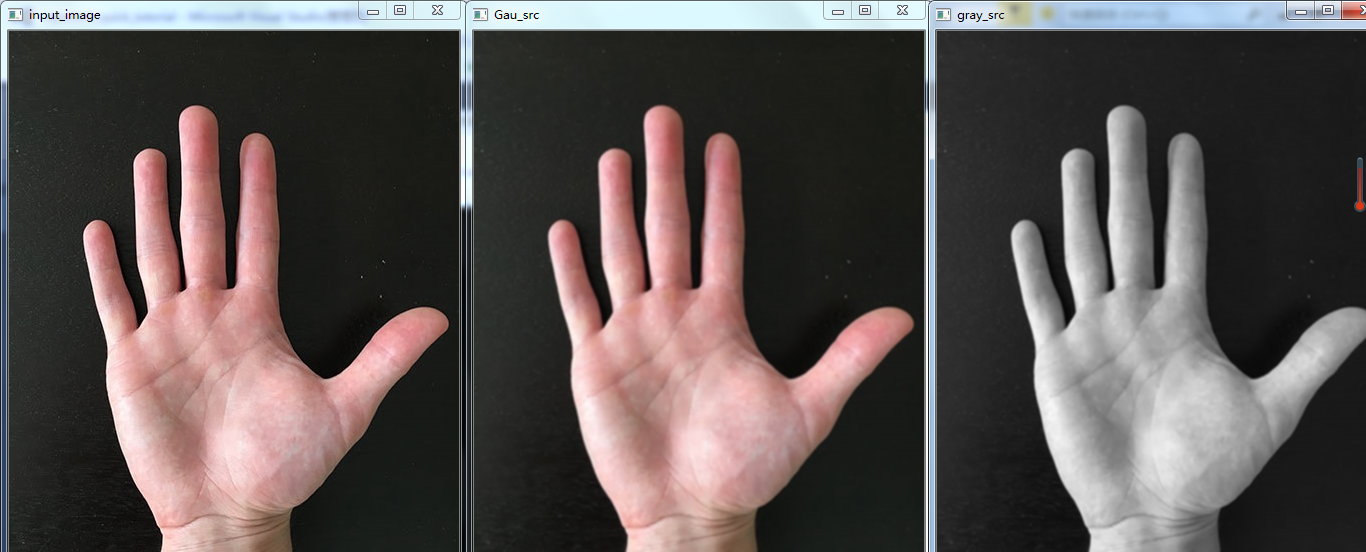
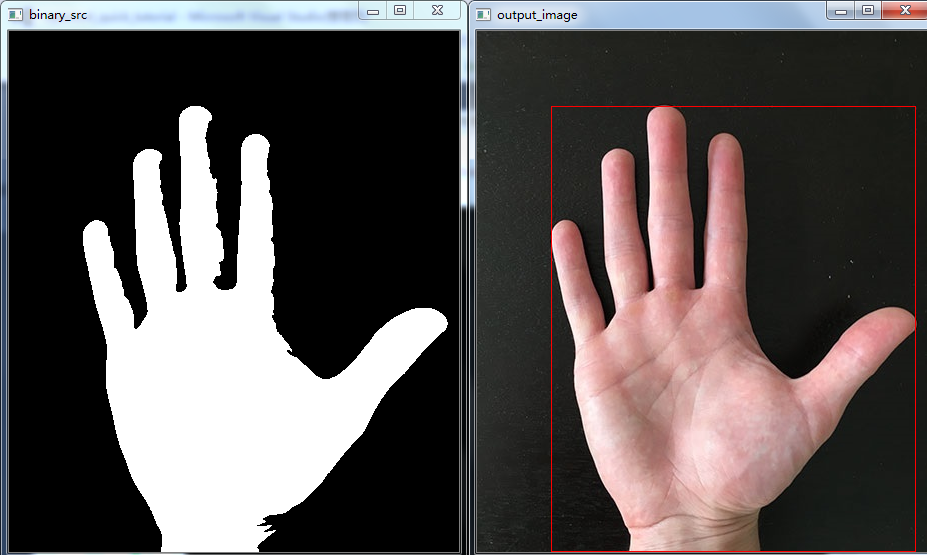
全部代码-多个物体
#include <opencv2/opencv.hpp>
#include <iostream>
using namespace std;
using namespace cv;

int main() {
	Mat src, Gau_src, gray_src, binary_src, canny_src,bitwise_src;
	src = imread("D:/images/gem_test.png");
	if (src.empty()) {
		cout << "Could not load the image ...." << endl;
		return -1;
	}
	imshow("input_image", src);
	GaussianBlur(src, Gau_src, Size(3, 3), 0, 0, 4);
	imshow("Gau_src", Gau_src);
	cvtColor(Gau_src, gray_src, COLOR_BGR2GRAY);
	imshow("gray_src", gray_src);
	Canny(gray_src, canny_src, 2, 255, 3);
	imshow("canny_src", canny_src);
	vector<vector<Point>>contours;
	findContours(canny_src, contours, 0, 2, Point());

	for (int n = 0; n < contours.size(); n++) {
		Rect rect = boundingRect(contours[n]);
		rectangle(src, rect, Scalar(0, 0, 255), 1);
	}
	imshow("output_image", src);
	waitKey(0);
	return 0;
}
效果展示
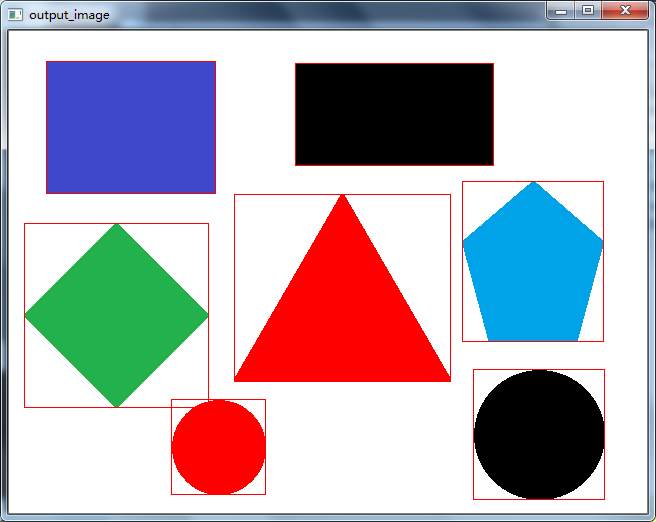
最后
以上就是合适冬瓜最近收集整理的关于opencv学习-物体轮廓外接矩形的绘制的全部内容,更多相关opencv学习-物体轮廓外接矩形内容请搜索靠谱客的其他文章。
本图文内容来源于网友提供,作为学习参考使用,或来自网络收集整理,版权属于原作者所有。








发表评论 取消回复