我是靠谱客的博主 知性电源,这篇文章主要介绍(visual studio for Mac/Windows)There are inconsistent line endings in the‘xxx‘script. Some are Mac O,现在分享给大家,希望可以做个参考。
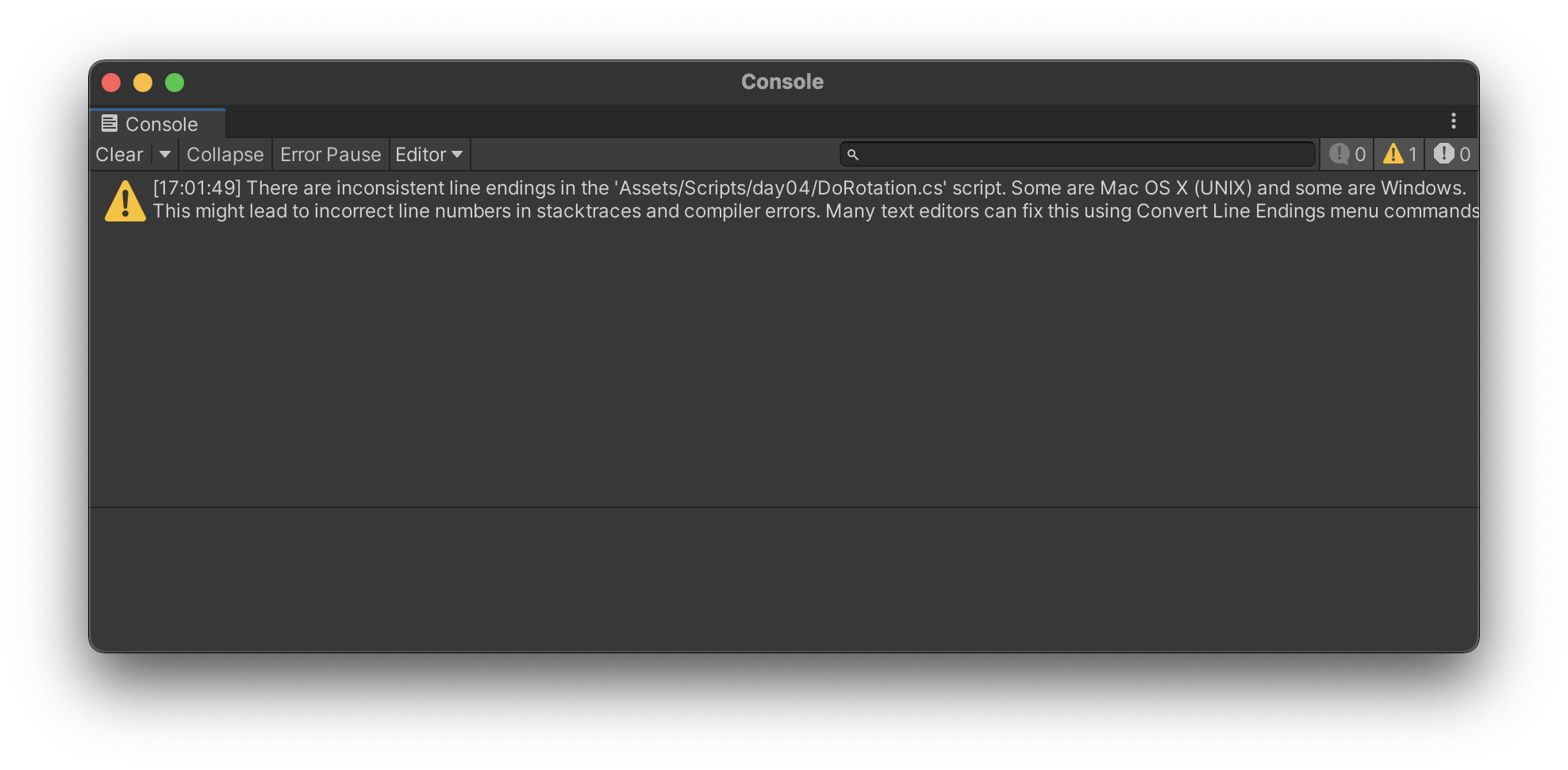
用visual studio for Mac编写unity脚本的时候,untiy编译器出现如下警告:
There are inconsistent line endings in the 'Assets/Scripts/day04/DoRotation.cs' script. Some are Mac OS X (UNIX) and some are Windows.
This might lead to incorrect line numbers in stacktraces and compiler errors. Many text editors can fix this using Convert Line Endings menu commands.
翻译过来的意思是:
“Assets/Scripts/day04/DoRotation.cs”脚本中的行尾不一致。有些是Mac OS X(UNIX),有些是Windows。
这可能会导致堆栈跟踪中的行号不正确以及编译器错误。许多文本编辑器可以使用“转换行尾”菜单命令解决此问题。
抓住重点“转换行尾”
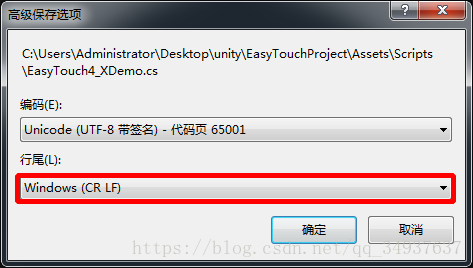
- Windows
Windows的vs行尾转换:“文件->高级保存选项”进行如下操作就行
- MacOS解决方案
工具-添加自定义工具
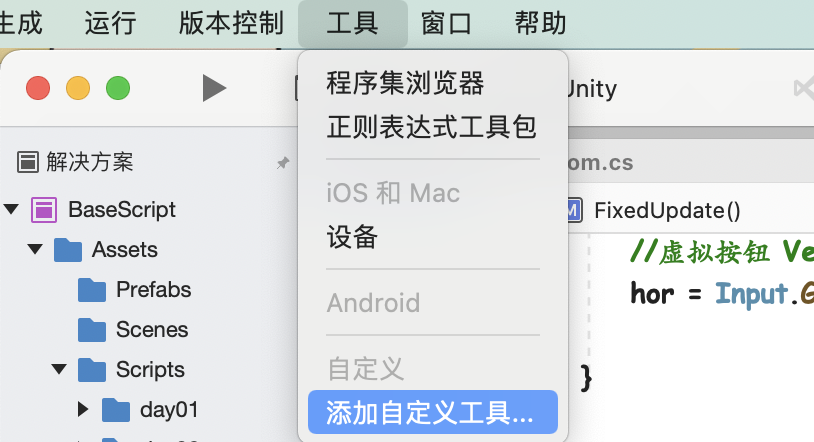
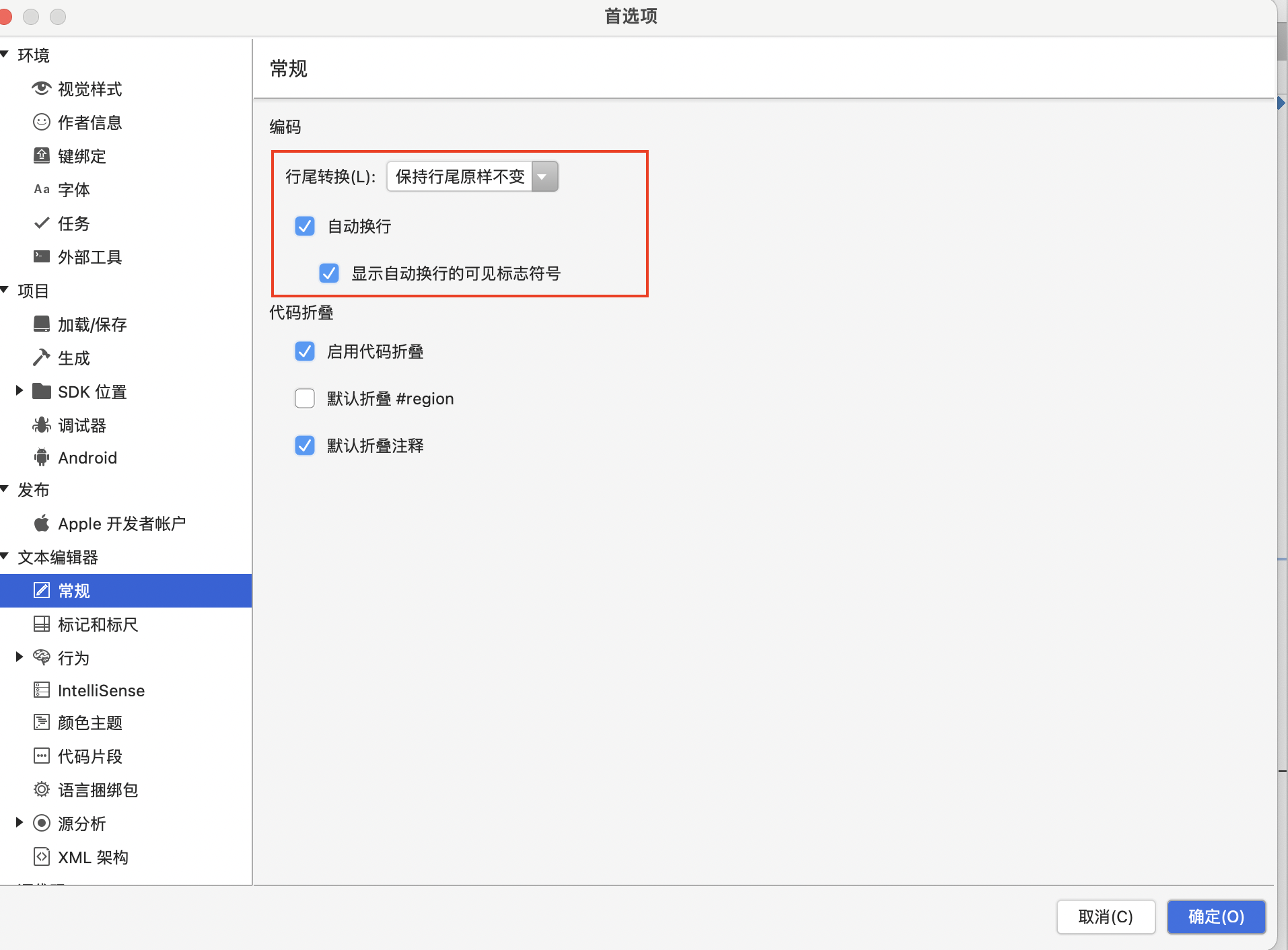
文本编辑器 - 设置行尾转换 - 右下角确定,再运行一次,警告就消失啦~
最后
以上就是知性电源最近收集整理的关于(visual studio for Mac/Windows)There are inconsistent line endings in the‘xxx‘script. Some are Mac O的全部内容,更多相关(visual内容请搜索靠谱客的其他文章。
本图文内容来源于网友提供,作为学习参考使用,或来自网络收集整理,版权属于原作者所有。








发表评论 取消回复