汇总:零基础小白如何用github搭建个人博客
目录
- 关于文章
- 删除文章
- 新建-1(new page)
- 新建-2(-s 文章标题和文件名分开)
- 新建-3(结合以上两种)
- 新建(-p 路径)
- 小改动:只换了素材或者文字的
- 网站图标
- after
- before
- 标题、作者、描述
- after
关于文章
删除文章
先把Hexo自带的文件slangelsBlogsource_postshello-world.md删除。
然后部署一下就可以了。
注:_posts 文件夹下必须有至少一个md文件,否则不能部署。
新建-1(new page)
参考:Hexo文档
新建文章的格式是hexo new [layout] <title>
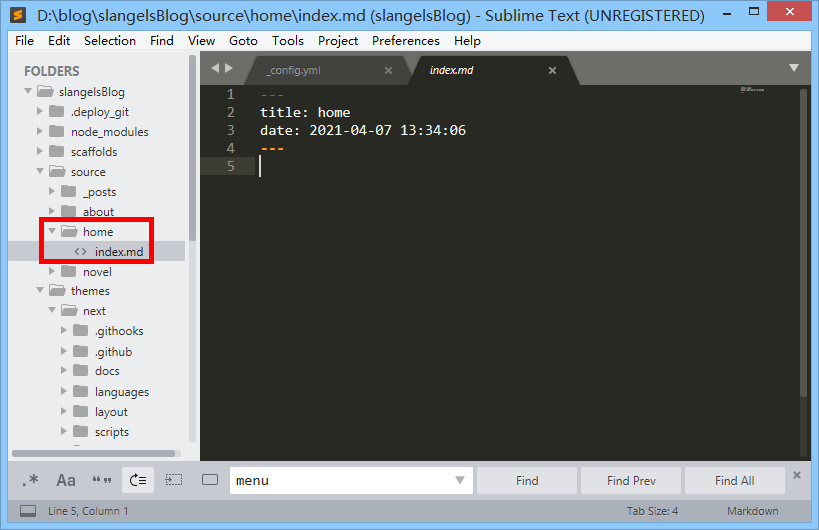
Hexo 有三种默认布局:post、page 和 draft,第二种page是可以在 source 文件夹下新建一个页面(文件夹),并且在页面下有一个 index.md 的文件。如运行以下代码:
D:blogslangelsBlog>hexo new page "home"
INFO  Validating config
INFO  ==================================
  ███╗   ██╗███████╗██╗  ██╗████████╗
  ████╗  ██║██╔════╝╚██╗██╔╝╚══██╔══╝
  ██╔██╗ ██║█████╗   ╚███╔╝    ██║
  ██║╚██╗██║██╔══╝   ██╔██╗    ██║
  ██║ ╚████║███████╗██╔╝ ██╗   ██║
  ╚═╝  ╚═══╝╚══════╝╚═╝  ╚═╝   ╚═╝
========================================
NexT version 8.3.0
Documentation: https://theme-next.js.org
========================================
INFO  Created: D:blogslangelsBlogsourcehomeindex.md

D:blogslangelsBlog>
效果如下:
新建-2(-s 文章标题和文件名分开)
参考:Hexo–文章标题和文件名分离
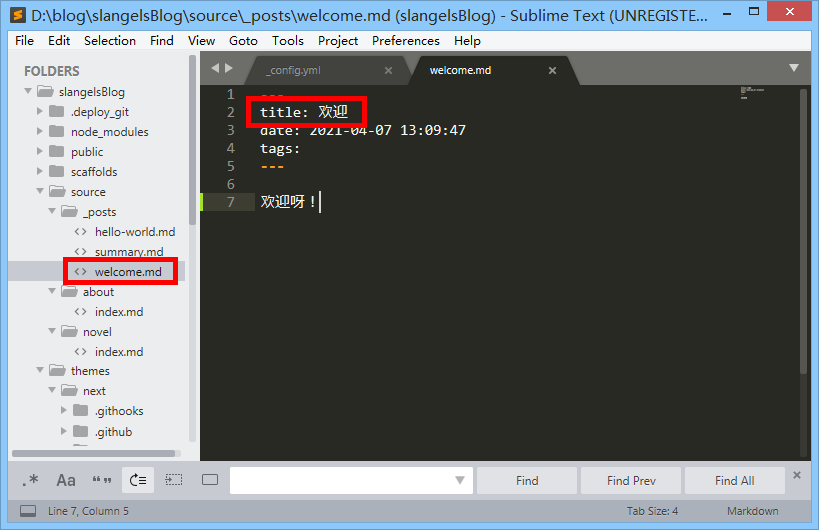
运行命令hexo new -s 'welcome' '欢迎',可以创建一个文件名为 welcome 而文章标题是 欢迎 的一个文件。
D:blogslangelsBlog>hexo new -s 'welcome' '欢迎'
INFO  Validating config
INFO  ==================================
  ███╗   ██╗███████╗██╗  ██╗████████╗
  ████╗  ██║██╔════╝╚██╗██╔╝╚══██╔══╝
  ██╔██╗ ██║█████╗   ╚███╔╝    ██║
  ██║╚██╗██║██╔══╝   ██╔██╗    ██║
  ██║ ╚████║███████╗██╔╝ ██╗   ██║
  ╚═╝  ╚═══╝╚══════╝╚═╝  ╚═╝   ╚═╝
========================================
NexT version 8.3.0
Documentation: https://theme-next.js.org
========================================
INFO  Created: D:blogslangelsBlogsource_postswelcome.md

D:blogslangelsBlog>
效果如下:
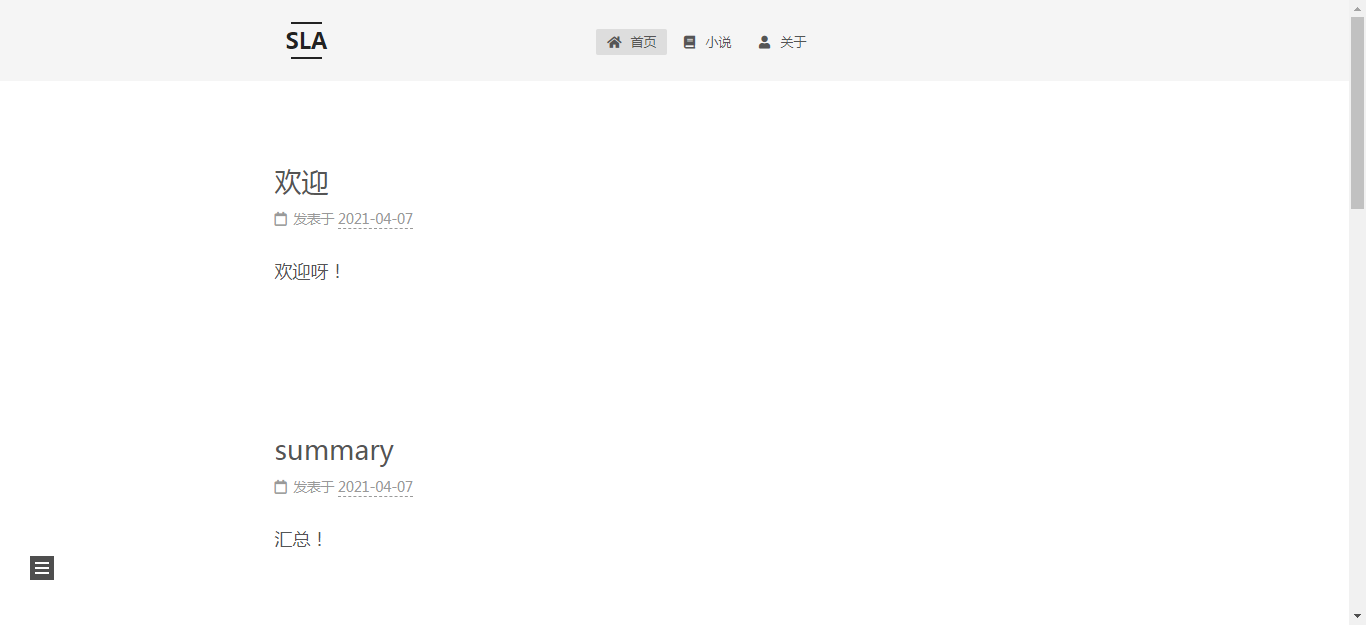
测试一下,效果是这样的:
新建-3(结合以上两种)
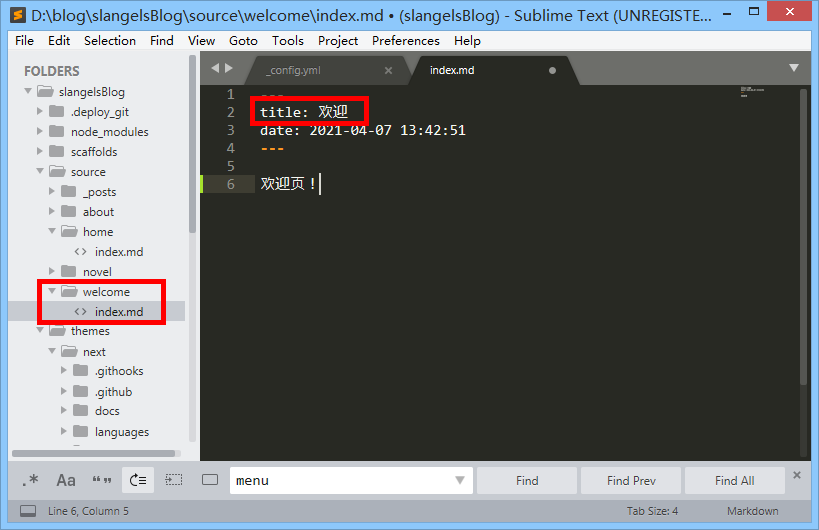
新建一个页面,并且使得文章标题和文件名分开。运行以下代码:
D:blogslangelsBlog>hexo new page -s 'welcome' '欢迎'
INFO  Validating config
INFO  ==================================
  ███╗   ██╗███████╗██╗  ██╗████████╗
  ████╗  ██║██╔════╝╚██╗██╔╝╚══██╔══╝
  ██╔██╗ ██║█████╗   ╚███╔╝    ██║
  ██║╚██╗██║██╔══╝   ██╔██╗    ██║
  ██║ ╚████║███████╗██╔╝ ██╗   ██║
  ╚═╝  ╚═══╝╚══════╝╚═╝  ╚═╝   ╚═╝
========================================
NexT version 8.3.0
Documentation: https://theme-next.js.org
========================================
INFO  Created: D:blogslangelsBlogsourcewelcomeindex.md

D:blogslangelsBlog>
效果如下:
把目录slangelsBlogthemesnext_config.yml下的配置文件里的首页改成 welcome 这个页面:
menu:
  home: /welcome || fa fa-home
  novel: /novel/ || fas fa-book
  about: /about/ || fa fa-user
http://localhost:4000/ 效果如下:
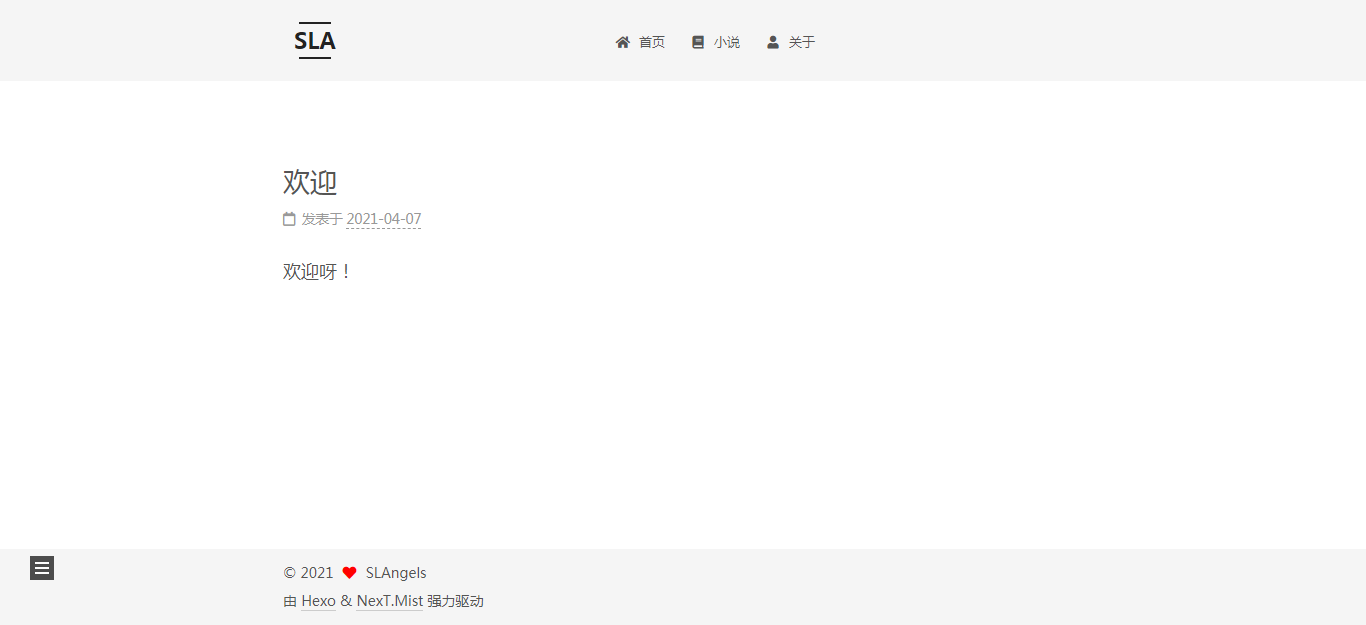
http://localhost:4000/welcome/ 首页效果如下:
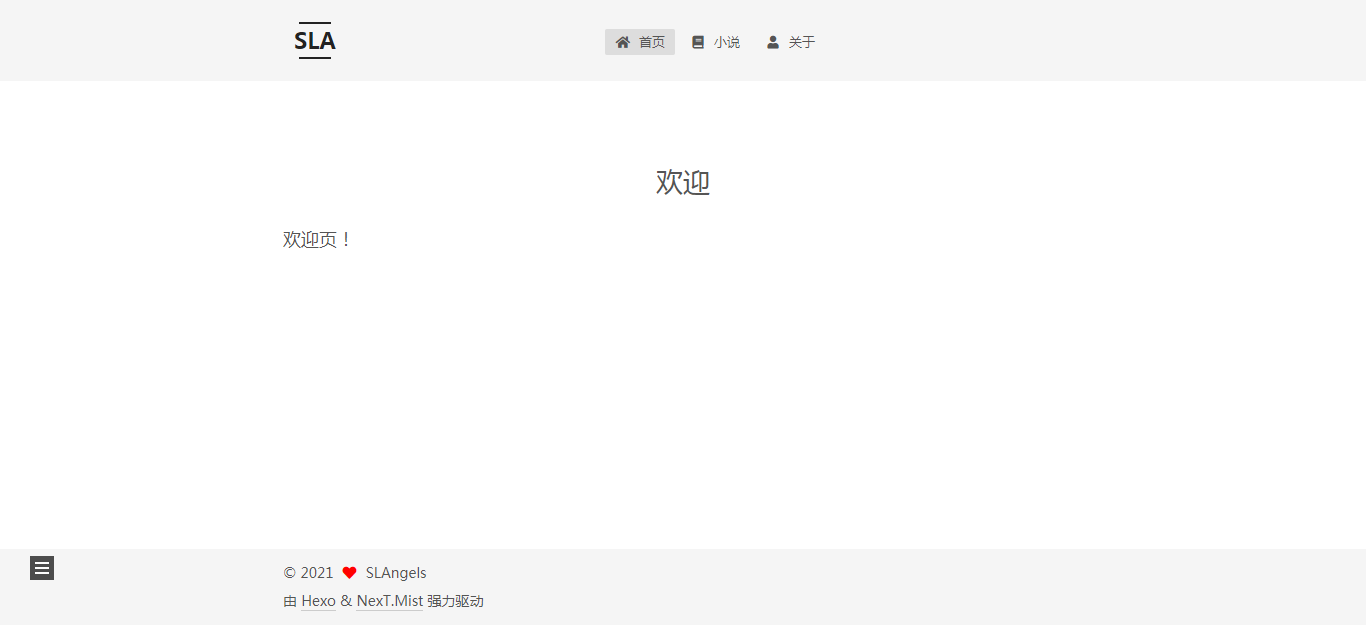
新建(-p 路径)
小改动:只换了素材或者文字的
网站图标
文件:slangelsBlogthemesnext_config.yml
after
连夜画了一个初步的版本,虽然不太好看吧,但是先换着吧。
图标1.0:

修改后的代码:
favicon:
  small: /images/sla/swing16.png
  medium: /images/sla/swing32.png
  apple_touch_icon: /images/sla/swing180.png
  safari_pinned_tab: /images/sla/swing.png
效果不知道说什么好,一缩小就完全看不见了:

看来还是要画简单一点的图。
before
原本的图标:

favicon 网站图标(在 slangelsBlogthemesnextsourceimages 文件夹里):
- PNG格式相信大家都知道,看一下最大的一张是180像素的,位深度8,然后分别是32像素和16像素的。
- SVG格式是矢量图,是可缩放的。
- 安卓的 manifest.json 不知道是什么东西。
Custom Logo 和 Creative Commons 也不知道是什么东西。
原本的代码:
# ---------------------------------------------------------------
# Site Information Settings
# ---------------------------------------------------------------

favicon:
  small: /images/favicon-16x16-next.png
  medium: /images/favicon-32x32-next.png
  apple_touch_icon: /images/apple-touch-icon-next.png
  safari_pinned_tab: /images/logo.svg
  #android_manifest: /manifest.json

# Custom Logo (Warning: Do not support scheme Mist)
custom_logo: #/uploads/custom-logo.jpg

# Creative Commons 4.0 International License.
# See: https://creativecommons.org/about/cclicenses/
# Available values of license: by | by-nc | by-nc-nd | by-nc-sa | by-nd | by-sa | zero
# You can set a language value if you prefer a translated version of CC license, e.g. deed.zh
# CC licenses are available in 39 languages, you can find the specific and correct abbreviation you need on https://creativecommons.org
creative_commons:
  license: by-nc-sa
  sidebar: false
  post: false
  language:
标题、作者、描述
文件:slangelsBlog_config.yml
after
修改的代码:title、description、author
# Site
title: SLAngels
subtitle: ''
description: 'SLAngels的个人博客'
keywords:
author: SLAngels
language: zh-CN
timezone: ''
最后
以上就是淡定手机最近收集整理的关于个人博客(八)Hexo新建文章、主题小修改关于文章小改动:只换了素材或者文字的的全部内容,更多相关个人博客(八)Hexo新建文章、主题小修改关于文章小改动:只换了素材或者文字内容请搜索靠谱客的其他文章。






