实现的效果如下:
看起来和跳转链接无区别,但是点击浏览器的回退按钮时可以发现无法回到之前的链接
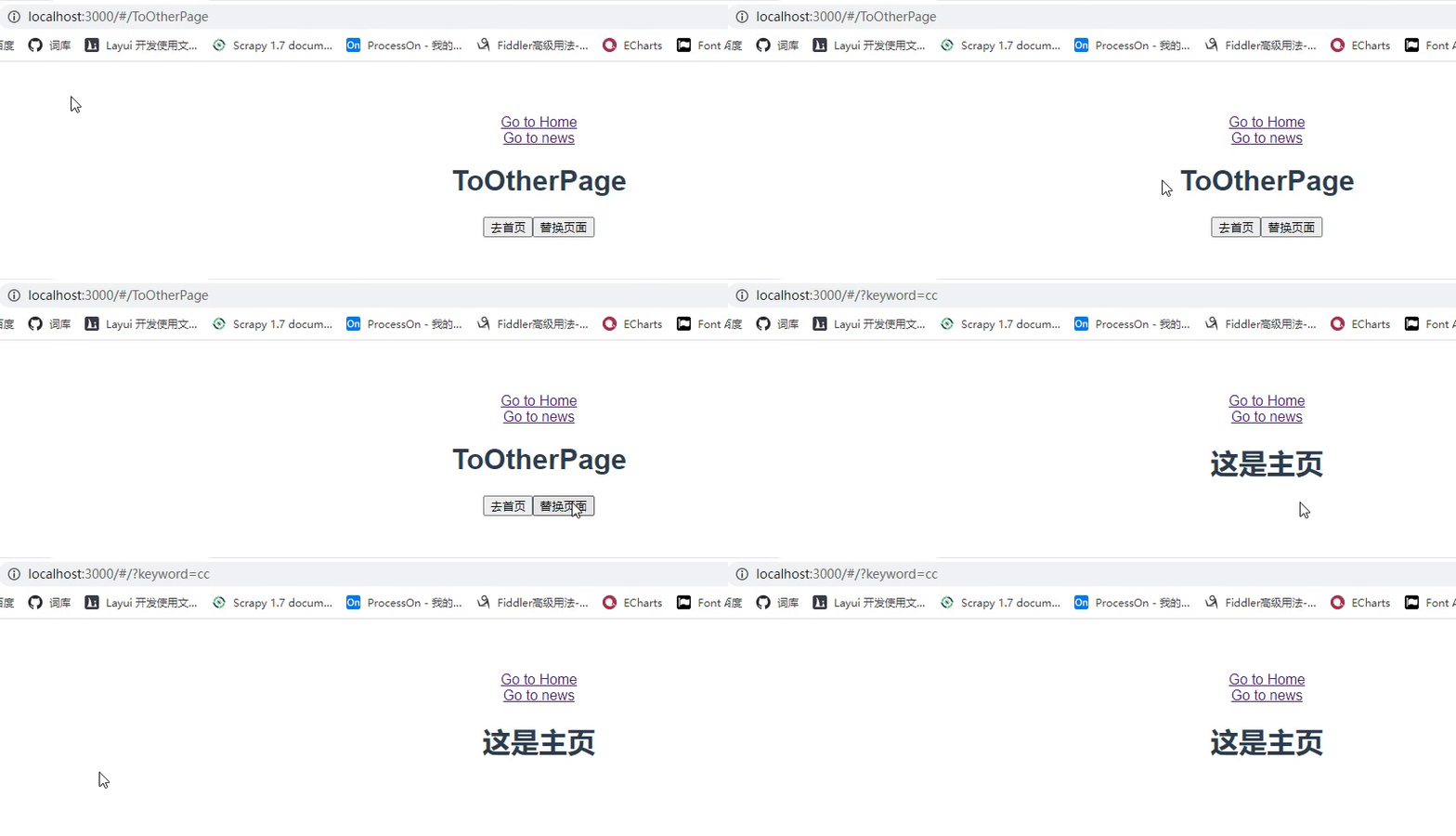 流程:
流程:
在(Vue 点击按钮跳转其他链接_Zhichao_97的博客-CSDN博客)的代码基础上,将ToOtherPage.vue的代码改为如下所示:
<template>
    <div>
        <h1>ToOtherPage</h1>
        <button @click="ToOtherPage">去首页</button>
        <!-- 替换页面-->
        <button @click="replacePage">替换页面</button>
    </div>
</template>

<script>
    export default {
        name: "ToOtherPage",

        methods:{
            ToOtherPage(){
                // this.$router.push("/")
                // this.$router.push({path:'/'})

                // 袖带参数跳转
                // this.$router.push({path:"/news/123456"})
                // this.$router.push({name:"start",params:{id:12345}})
                this.$router.push({path:"/",query:{keyword:'cc'}})
            },
            replacePage(){
                this.$router.replace({path:"/",query:{keyword:'cc'}})
            },

        }
    }
</script>

<style scoped>

</style>
最后
以上就是自信橘子最近收集整理的关于Vue 点击按钮替换页面实现的效果如下:流程:的全部内容,更多相关Vue内容请搜索靠谱客的其他文章。
本图文内容来源于网友提供,作为学习参考使用,或来自网络收集整理,版权属于原作者所有。








发表评论 取消回复