1. 添加副标题
-
多行标题已经支持了很长一段时间,但是从r2020b开始,您可以用两种简单的方法将具有自己独立属性的副标题添加到绘图中。
- Use the new subtitle function:
>> s=subtitle('mySubtitle')
- Use the new second argument to the title function:
>> [t,s]=title('myTitle','mySubtitle')
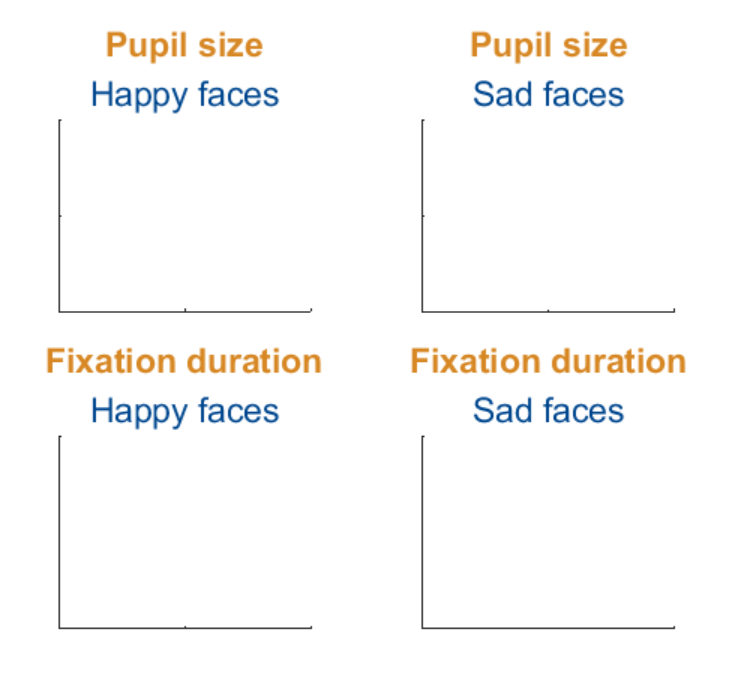
figure()
tiledlayout(2,2)
% Method 1
ax(1) = nexttile;
th(1) = title('Pupil size');
sh(1) = subtitle('Happy faces');
ax(2) = nexttile;
th(2) = title('Pupil size');
sh(2) = subtitle('Sad faces');
% Method 2
ax(3) = nexttile;
[th(3), sh(3)] = title('Fixation duration', 'Happy faces');
ax(4) = nexttile;
[th(4), sh(4)] = title('Fixation duration', 'Sad faces');
set(ax, 'xticklabel', [], 'y
最后
以上就是有魅力小松鼠最近收集整理的关于MATLAB从入门到精通-Matlab R2020b新功能 | 子标题和标题/标签对齐功能!的全部内容,更多相关MATLAB从入门到精通-Matlab内容请搜索靠谱客的其他文章。
本图文内容来源于网友提供,作为学习参考使用,或来自网络收集整理,版权属于原作者所有。








发表评论 取消回复