
本教程操作环境:Windows10系统、Oracle 11g版、Dell G3电脑。
oracle怎么转移表的表空间
转移表的表空间语法如下:
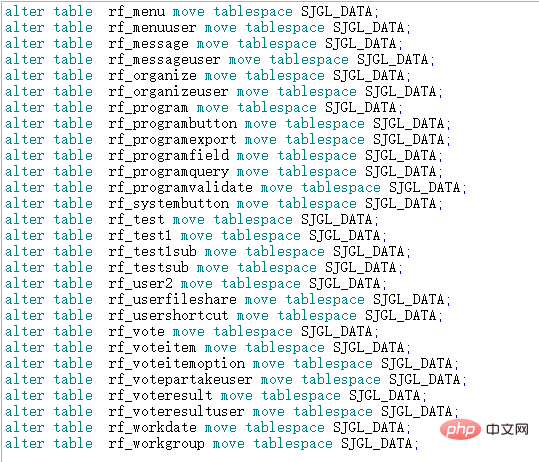
将表table_name 移动到新的new_tbsp表空间
alter table table_name move tablespace new_tbsp;
登录后复制
生成指定tbsp_name表空间下的【所有表】生成移动new_tbsp表空间SQL语句
select 'alter table '|| table_name|| ' move tablespace new_tbsp;' from user_tables where tablespace_name = 'tbsp_name'
登录后复制扩展:转移不同的表空间
移动【索引】所在表空间:
如将索引index_name 移动到新的new_tbsp表空间(LOB数据类型的字段需按如下第3类处理)
alter index index_name rebuild tablespace new_tbsp;
登录后复制--生成指定user_name用户下的【所有索引】生成移动new_tbsp表空间SQL语句
select 'alter index '||index_name||' rebuild tablespace new_tbsp;' from user_indexes where table_owner = 'user_name'
登录后复制移动【二进制流字段】数据存储表空间,如将表table_name中的二进制流字段col_name移动到new_tbsp表空间
alter table table_name move tablespace new_tbsp lob (col_name) store as (tablespace new_tbsp);
登录后复制--生成指定表table_name中为CLOB类型的字段的移动到new_tbsp 表空间SQL语句
select 'alter table '|| table_name||' move tablespace new_tbsp lob ('|| column_name||' ) store as  (tablespace new_tbsp);'  from user_tab_columns
where  data_type='CLOB' and table_name='table_name'登录后复制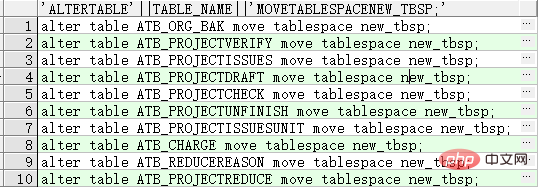
推荐教程:《Oracle视频教程》
以上就是oracle怎么转移表的表空间的详细内容,更多请关注靠谱客其它相关文章!

最后
以上就是无心冰棍最近收集整理的关于oracle怎么转移表的表空间的全部内容,更多相关oracle怎么转移表内容请搜索靠谱客的其他文章。
本图文内容来源于网友提供,作为学习参考使用,或来自网络收集整理,版权属于原作者所有。








发表评论 取消回复