本文实例为大家分享了Unity控制指针旋转到指定位置的具体代码,供大家参考,具体内容如下
一、搭建基础的表盘、指针
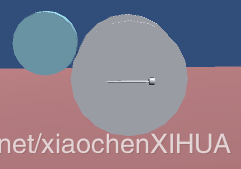
二、编写控制指针旋转到指定位置的脚本:
using UnityEngine;
using System.Collections;

public class Test_OnDashboard : MonoBehaviour
{
 public int thiAngle = 0;
 public int rotateSpeed = 2;
 public bool openRotate = false;


 // Use this for initialization
 void Start ()
 {

 }

 // Update is called once per frame
 void Update ()
 {
 if (Input.GetKeyDown(KeyCode.T))
 {
  openRotate = true;
  StartCoroutine(stop());
 }


 if (openRotate)
 {
  PointerRotate();

 }

 }

 /// <summary>
 /// 控制指针旋转
 /// </summary>
 private void PointerRotate()
 {
 if (thiAngle > -0.001f && thiAngle <= 180)
 {
  Quaternion target = Quaternion.Euler(0, 0, (90 - thiAngle));
  transform.rotation = Quaternion.RotateTowards(transform.rotation, target, rotateSpeed);
 }


 }

 /// <summary>
 /// 停止检测
 /// </summary>
 /// <returns></returns>
 private IEnumerator stop()
 {
 yield return new WaitForSeconds(2);
 openRotate =false;
 Debug.Log("tingzhi");
 }

}
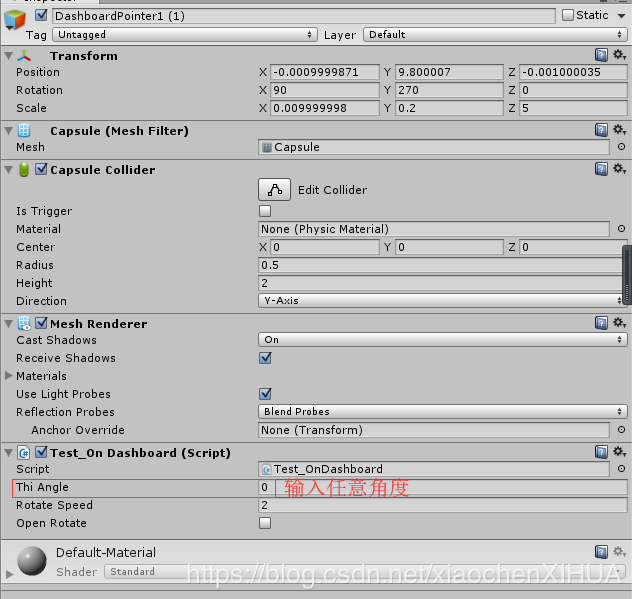
三、将该脚本添加给指针物体,然后运行输入对应的旋转角度指针即可旋转
以上就是本文的全部内容,希望对大家的学习有所帮助,也希望大家多多支持靠谱客。
最后
以上就是烂漫铃铛最近收集整理的关于Unity控制指针旋转到指定位置的全部内容,更多相关Unity控制指针旋转到指定位置内容请搜索靠谱客的其他文章。
本图文内容来源于网友提供,作为学习参考使用,或来自网络收集整理,版权属于原作者所有。








发表评论 取消回复