[IOS]UIButton的Title左对齐
-(void)cRemindInfo:(float)hight{
     UIScrollView *tempSV = (UIScrollView *)[self.view viewWithTag:1002];
    float tempHeight = tempSV.frame.origin.y +tempSV.frame.size.height;
    for (int i = 0; i < 3; i ++) {
        UIButton *tempBut = [[UIButton alloc] init];
        [tempBut setFrame:CGRectMake(0, tempHeight+i*hight, self.view.frame.size.width, hight)];
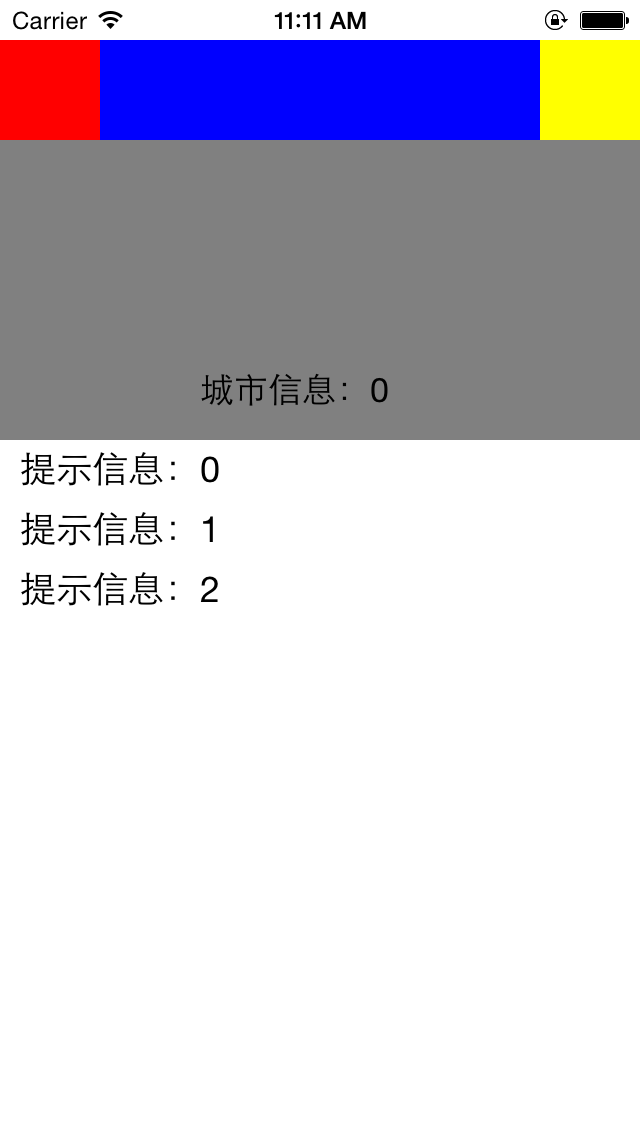
        [tempBut setTitle:[NSString stringWithFormat:@"提示信息:%d",i] forState:UIControlStateNormal];
        [tempBut setTitleColor:[UIColor blackColor] forState:UIControlStateNormal];//默认字体为白色

//        [tempBut.titleLabel setTextAlignment:NSTextAlignmentLeft];//使用此方法不能达到目的
        //设置UIButton的Title左对齐,
        tempBut.contentHorizontalAlignment = UIControlContentHorizontalAlignmentLeft;
        tempBut.contentEdgeInsets = UIEdgeInsetsMake(0,10, 0, 0);//title偏移
        [self.gBootSV addSubview:tempBut];
    }

}
示图:
最后
以上就是陶醉黄豆最近收集整理的关于[IOS]UIButton的Title左对齐的全部内容,更多相关[IOS]UIButton内容请搜索靠谱客的其他文章。
本图文内容来源于网友提供,作为学习参考使用,或来自网络收集整理,版权属于原作者所有。




![[IOS]UIButton的Title左对齐](https://www.shuijiaxian.com/files_image/reation/bcimg20.png)



发表评论 取消回复