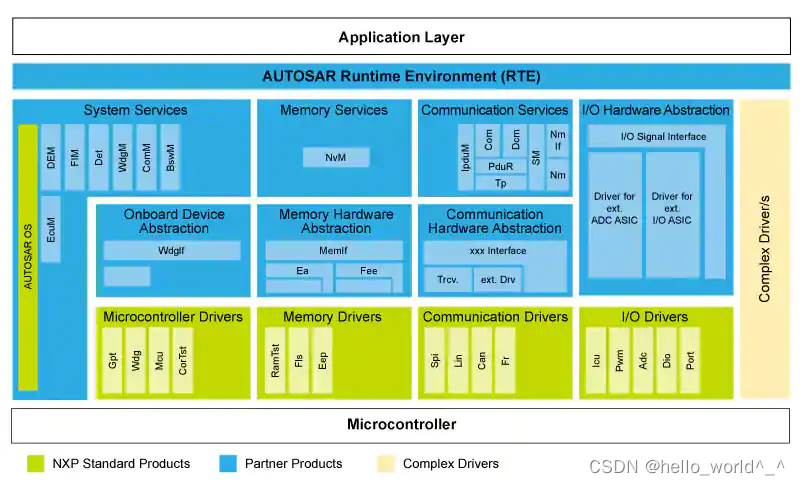
一、mcal在autosar架构中的位置和功能
mcal位于autosar架构的最底层,主要由MCU的外设驱动组成,负责操作MCU的寄存器。
二、环境搭建:CodeWarrior、EB tresos、SWS12-MCAL302-RTMC-1.0.4
第一步:安装软件
CodeWarrior是飞思卡尔的集成开发环境(IDE)。
EB tresoso是autosar的配置工具。
SWS12-MCAL302-RTMC-1.0.4是MCAL安装软件。
这三个软件都在nxp的官网https://www.nxp.com.cn/上下载。
-
EB tresoso和SWS12-MCAL302-RTMC-1.0.4在同一个页面下载
mcal和eb工具;(https://www.nxp.com/design/automotive-software-and-tools/autosar/autosar-3-0-x-classic-platform-software:AUTOSAR-3?&tab=Design_Tools_Tab) -
CodeWarrior在这里下载https://www.nxp.com.cn/design/software/development-software/codewarrior-development-tools/codewarrior-legacy/codewarrior-development-suite-special:CW-SUITE-SPECIAL?&tab=Design_Tools_Tab
eb tresos的版本为2009a,这个在mcal软件下载界面的S12_MCAL3.0_RTMC_1.0.4_ReleaseNotes.txt有说明。
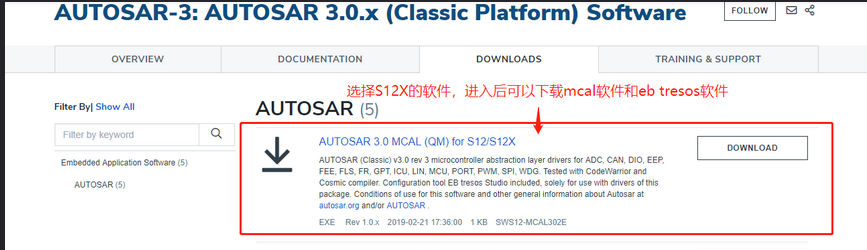

注意安装顺序:SWS12-MCAL302-RTMC-1.0.4在最后安装,安装过程中会指定eb tresos和code warrior的路径,用于把eb tresos的plugins放入eb tresos的路径和指定编译工程需要的code warriror编译器路径。
注意安装SWS12-MCAL302-RTMC-1.0.4的时候勾选安装sample工程。
第二步:配置和编译sample工程
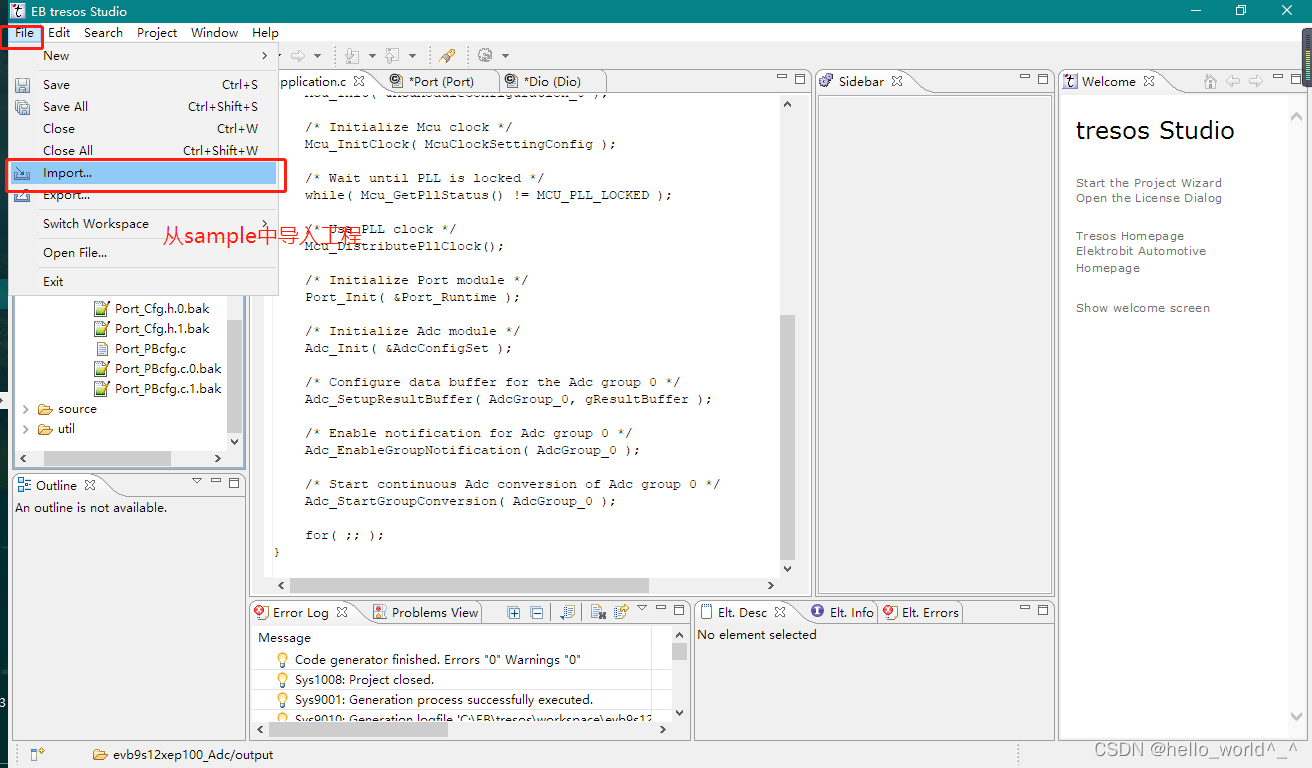
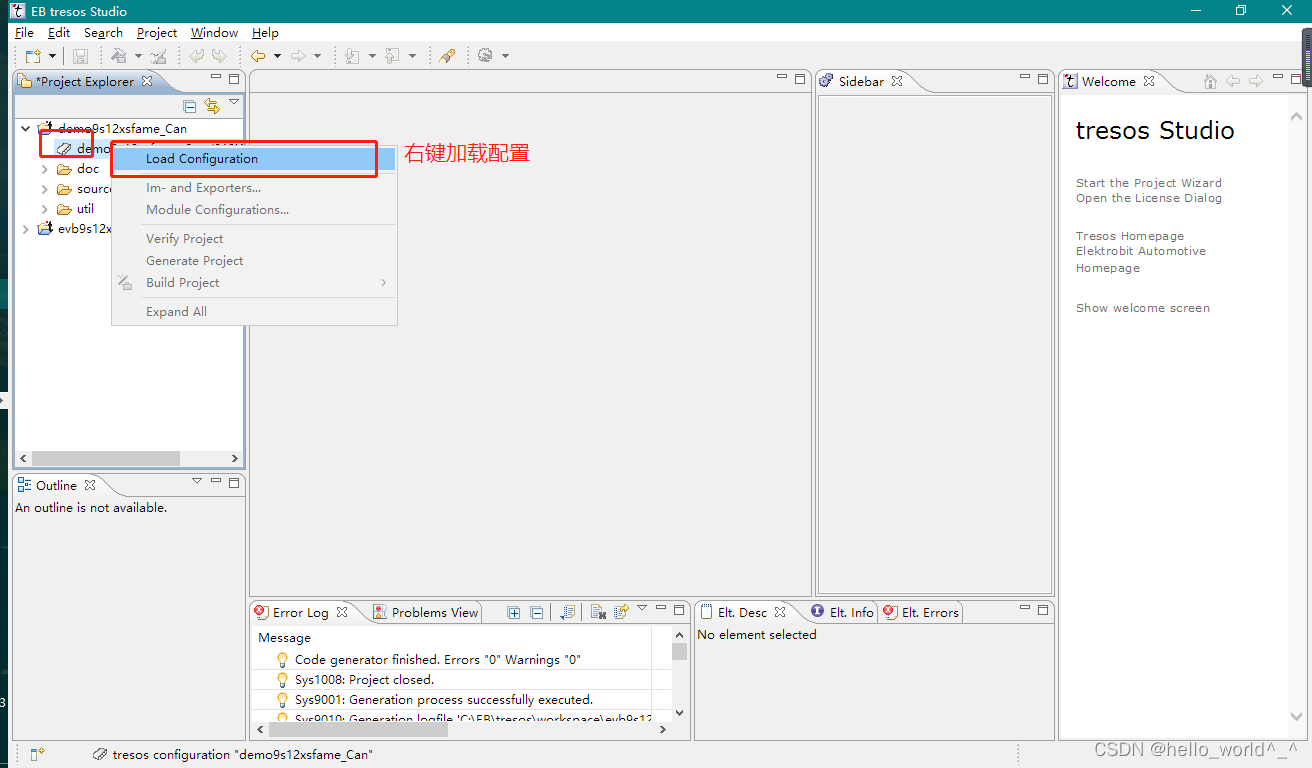
1、第一步安装mcal软件的时候会安装sample工程,用eb tresos打开其中的一个sample工程:evb9s12xep100
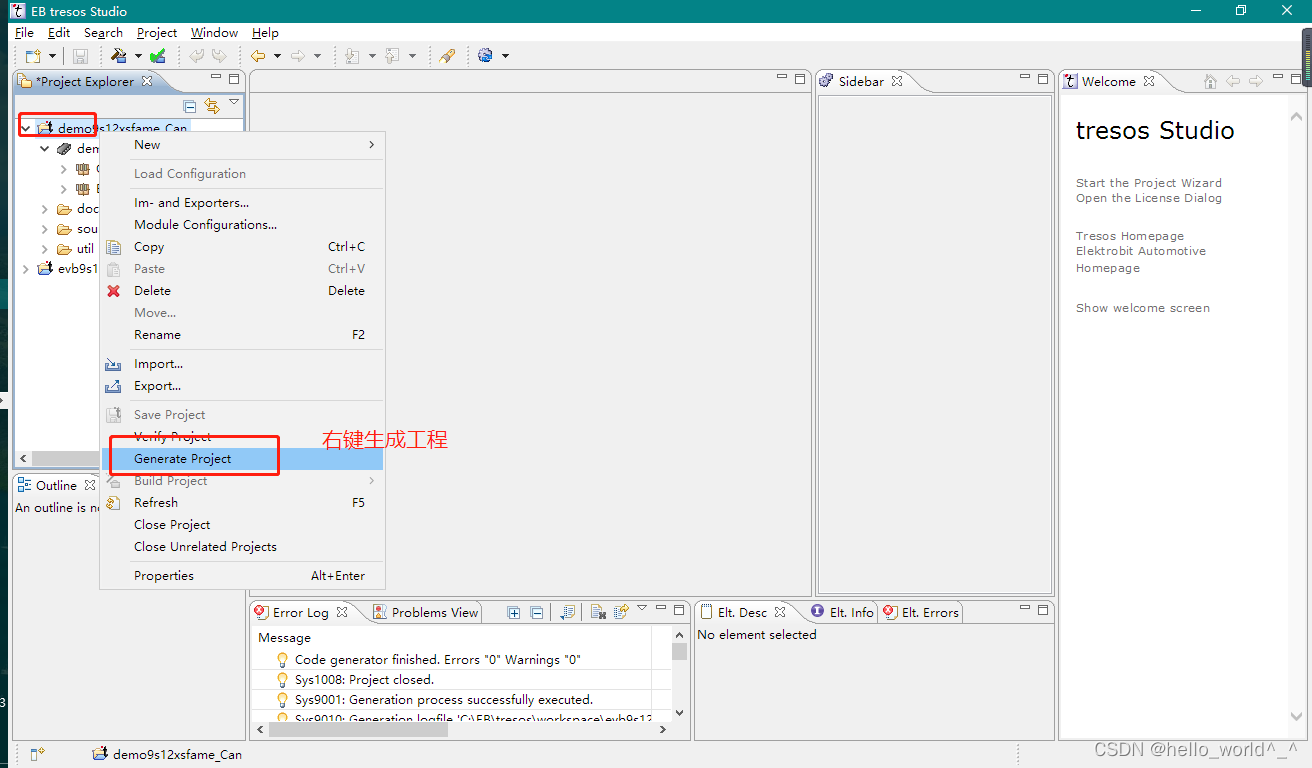
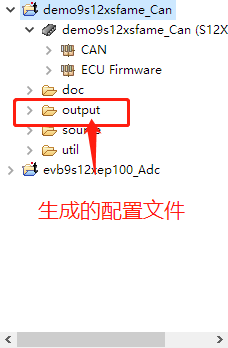
2、编译 sample 工程
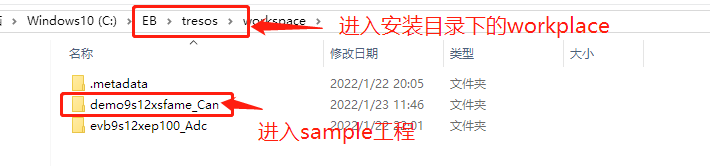
进入 eb tresos 的 workplace 目录,进入 sample 工程

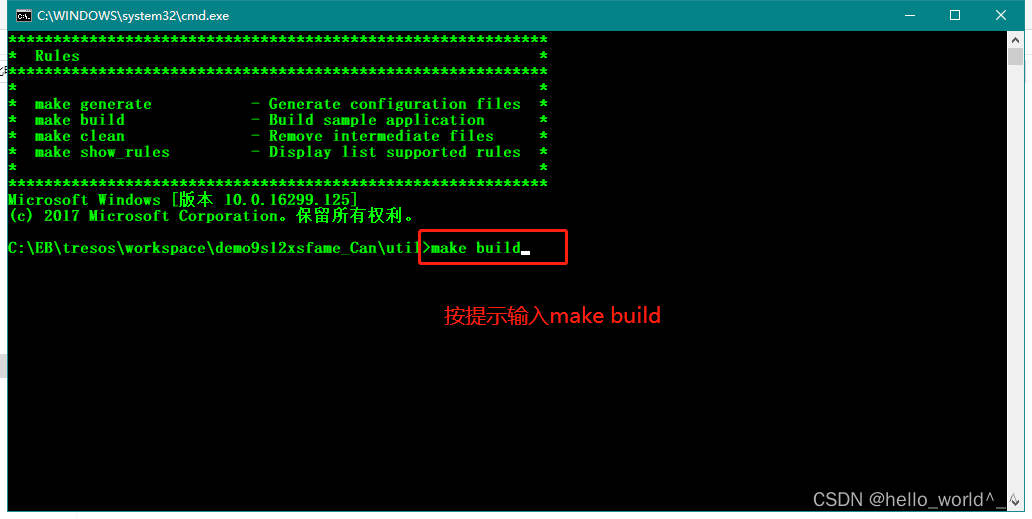
报错
Parsing file “C:EBtresos…NXPAUTOSARS32K14X_MCAL4_3_RTM_HF2_1_0_1eclipsepluginsCan_TS_T40D2M10I1R0/generate_PC/include/Can_Cfg.h (signed)”, line “1366”
The XPath-expression “node:ref(CanGeneral/CanOsCounterRef)” caused an error: (1844) No node found for path “”
Edit: Ok, I see that I haven’t set a Reference at the Can Counter Ref. section. So my question is how do I set up a counter to be referenced by the CAN plugin?
- User need to add module OS to have the Reference for the “Can Counter Ref”.
If you don’t want to use OS, please check to the "Can define loop as cycle* " to use “Can Timeout Duration (in Number of loops) (1 -> 65535)” instead of “Can Counter Ref”.
用户需要添加模块操作系统才能获得“Can Counter Ref”的参考。
如果您不想使用操作系统,请检查“可以将循环定义为循环*”以使用“可以超时持续时间(循环数)(1 -> 65535)”而不是“可以计数器参考”。
这个已知问题并没有被解决,在MCAL 的S12_MCAL3.0_RTMC_1.0.4_ReleaseNotes.txtS12_MCAL3.0_RTMC_1.0.4_ReleaseNotes.txt提到了这一点
参考
链接:https://blog.csdn.net/weixin_43810563/article/details/122648498
最后
以上就是畅快蛋挞最近收集整理的关于[AutoSAR]NXP HS12(X) AUTOSAR MCAL编译一下第二步:配置和编译sample工程报错参考的全部内容,更多相关[AutoSAR]NXP内容请搜索靠谱客的其他文章。




![[AutoSAR]NXP HS12(X) AUTOSAR MCAL编译一下第二步:配置和编译sample工程报错参考](https://www.shuijiaxian.com/files_image/reation/bcimg25.png)



发表评论 取消回复