页面调用JS:
    $(document).ready(function() {
      $("#delete_without_layer").click(function () {
        $.tConfirm.open({body:'Are you sure to delete?',type:'confirm',onOk:function(){
          alert("yes");
        }});
      });
      $("#delete_with_layer").click(function () {
        $.tConfirm.open({overlay:true,body:'Are you sure to delete?',type:'confirm',onOk:function(){
          alert("yes");
        }});
      });
      $("#information").click(function () {
        $.tConfirm.open({body:'This is confirm box based on fancybox!',type:'info',onOk:function(){
          alert("yes");
        }});
      });
      $("#success").click(function () {
        $.tConfirm.open({body:'Save success!',type:'success',onOk:function(){
          alert("yes");
        }});
      });
      $("#error").click(function () {
        $.tConfirm.open({body:'Some fields are wrong!',type:'error',onOk:function(){
          alert("yes");
        }});
      });   $("#warning").click(function () {
        $.tConfirm.open({body:'Someone login, it's not real user!',type:'warning',onOk:function(){
          alert("yes");
        }});
      });
    });
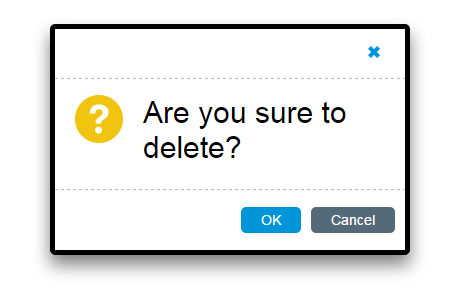
Figure 1. common confirm
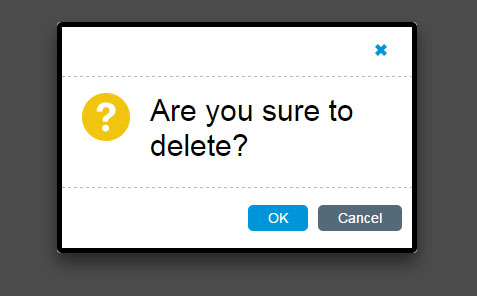
Figure 2. confirm box with layer
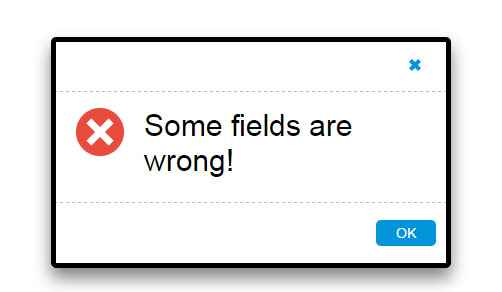
Figure 3. error box

Figure 4. success box
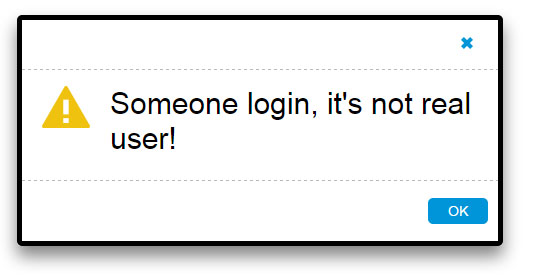
Figure 5. warning box
源码下载:
https://github.com/tomlxq/jquery-confirm
最后
以上就是单纯黑裤最近收集整理的关于jQuery实现摸拟alert提示框的全部内容,更多相关jQuery实现摸拟alert提示框内容请搜索靠谱客的其他文章。
本图文内容来源于网友提供,作为学习参考使用,或来自网络收集整理,版权属于原作者所有。








发表评论 取消回复