我是靠谱客的博主 搞怪滑板,这篇文章主要介绍解决:selenium.common.exceptions.WebDriverException: Message: ‘chromedriver‘ executable needs to 问题,现在分享给大家,希望可以做个参考。
1、问题描述:启动UI自动化脚本时,报错:selenium.common.exceptions.WebDriverException: Message: 'chromedriver' executable needs to be in PATH.
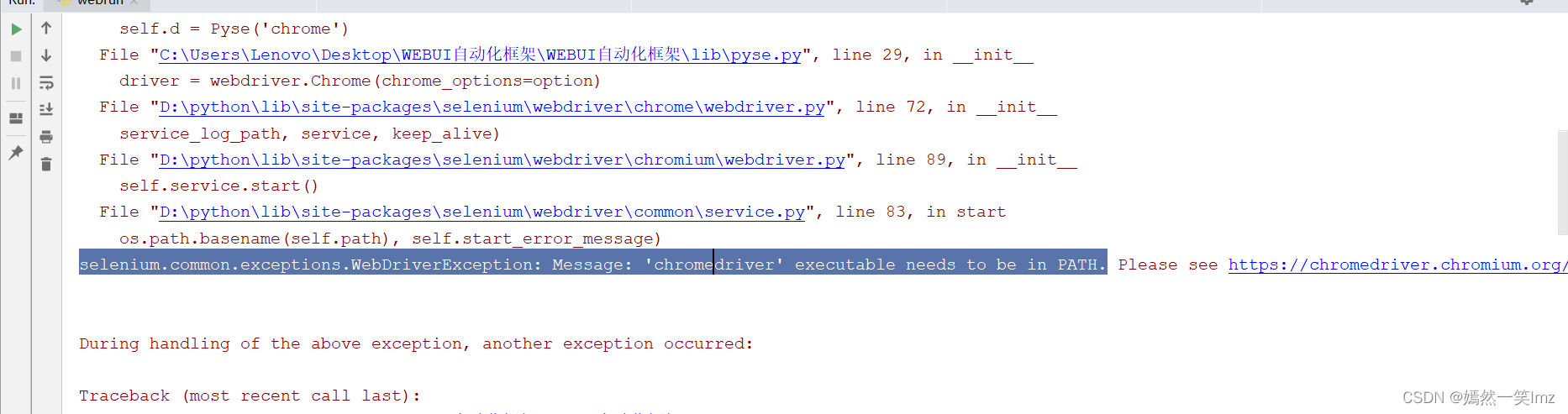
2、问题原因:web浏览器驱动异常
3、问题解决:
①、查看当前浏览器版本号,浏览器中输入:chrome://version/
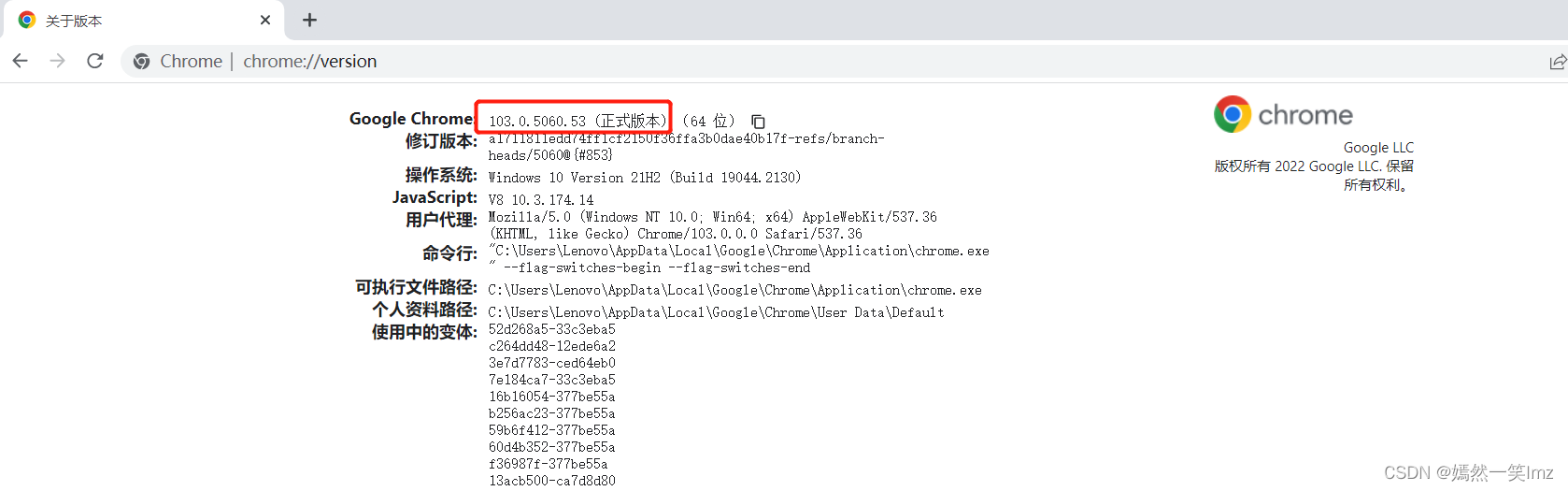
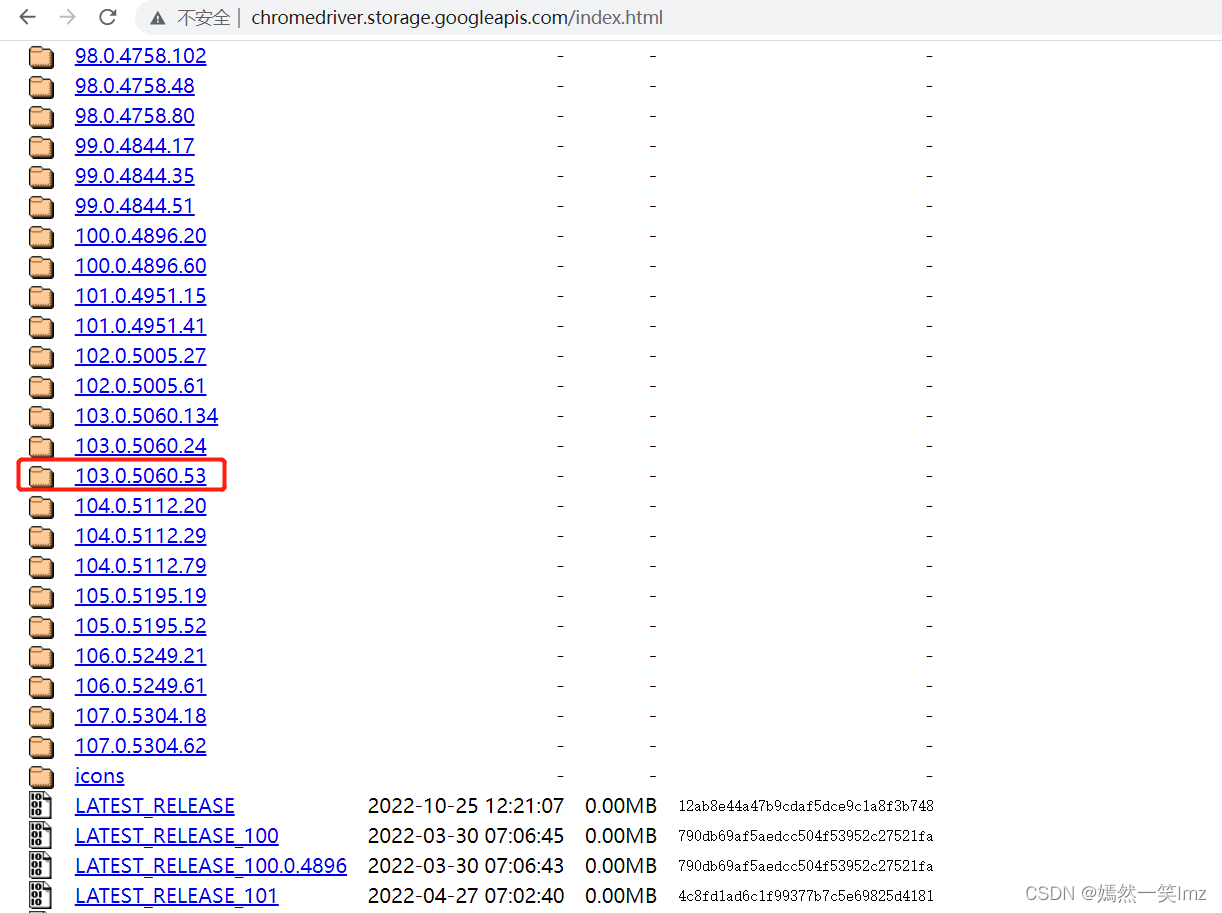
②、访问浏览器驱动网站:http://chromedriver.storage.googleapis.com/index.html,找到对应的浏览器版本号
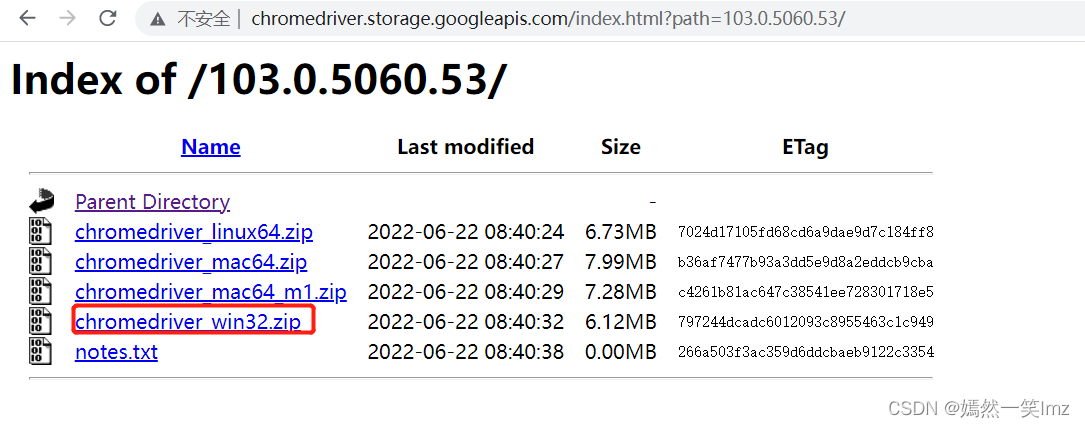
③、选择对应系统,点击下载
④、解压后,将chromedriver,复制到python所在包下,并添加至环境变量path。
注意:path中存放的路径,exe文件的上一级目录,并且以结尾

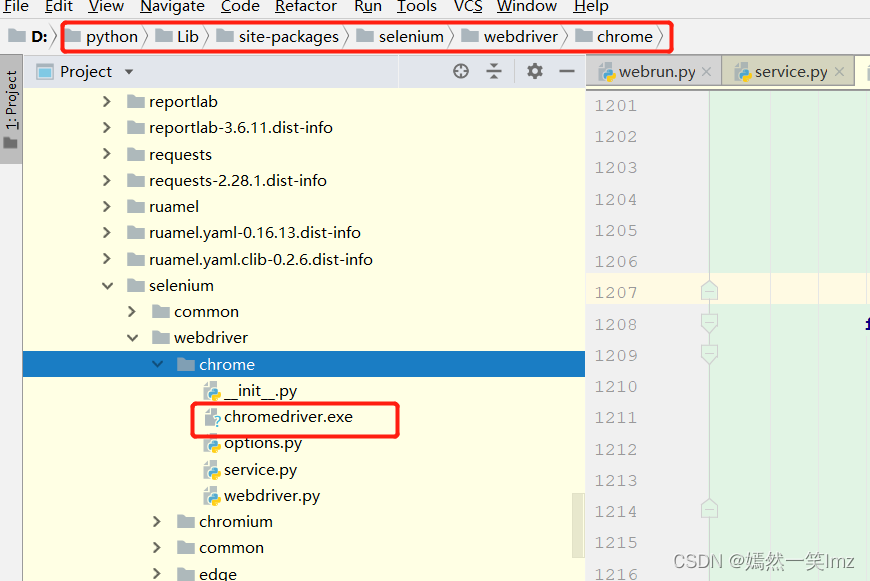
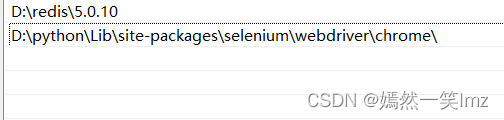
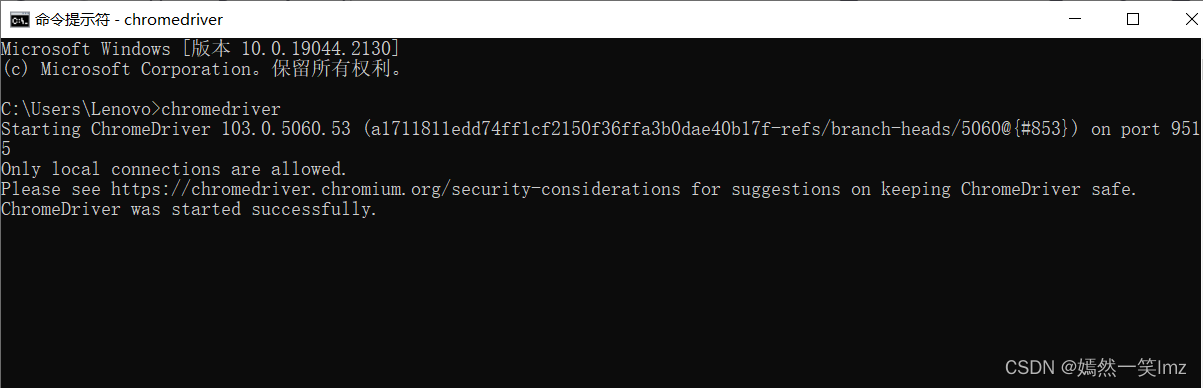
⑤、cmd输入: chromedriver,如图表示启动成功。
最后
以上就是搞怪滑板最近收集整理的关于解决:selenium.common.exceptions.WebDriverException: Message: ‘chromedriver‘ executable needs to 问题的全部内容,更多相关解决:selenium.common.exceptions.WebDriverException:内容请搜索靠谱客的其他文章。
本图文内容来源于网友提供,作为学习参考使用,或来自网络收集整理,版权属于原作者所有。








发表评论 取消回复