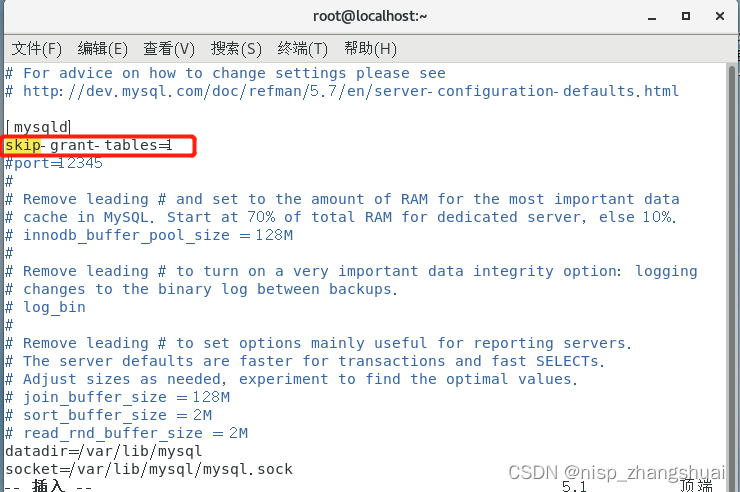
(1)修改mysql配置文件:vim /etc/my.cnf, 进入配置文件添加在mysqld下添加:skip-grant-tables=1
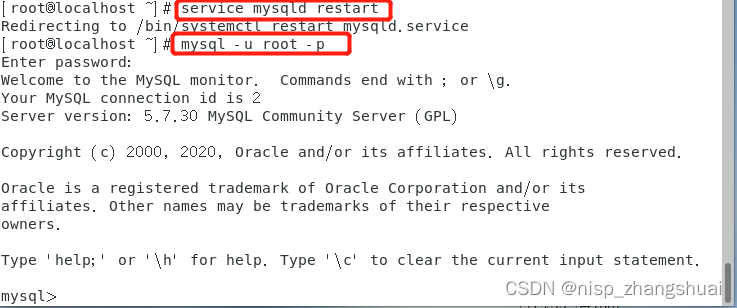
(2)重启mysql服务:service mysqld restart , 进入mysql: mysql -u root -p
(3)进入mysql库:use mysql ,修改密码:update user set authentication_key='123456' where user='root';
刷新:flush privileges; , 赋权:grant all privileges on *.* to 'root'@'localhost' identified by '123456' with grant option;
退出mysql: quit ,
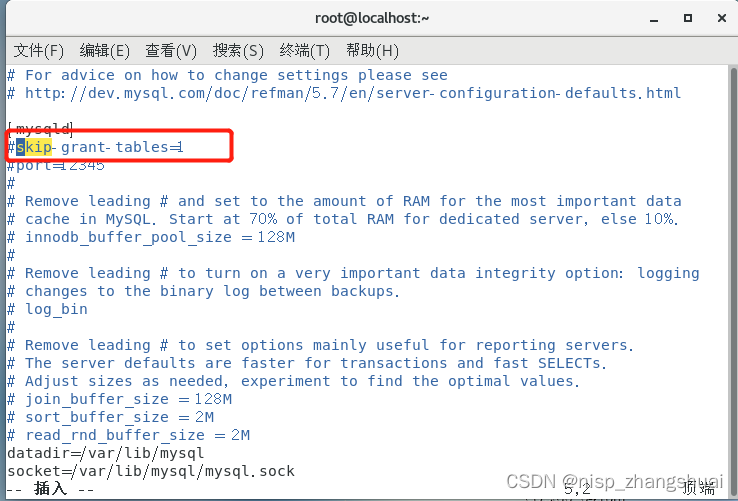
(4)修改mysql配置文件:vim /etc/my.cnf, 进入配置文件添加在mysqld下注释掉:#skip-grant-tables=1
(5)重启mysql服务:service mysqld restart , 进入mysql: mysql -u root -p 输入密码123456
最后
以上就是忧虑大侠最近收集整理的关于mysql忘记密码登录方法的全部内容,更多相关mysql忘记密码登录方法内容请搜索靠谱客的其他文章。
本图文内容来源于网友提供,作为学习参考使用,或来自网络收集整理,版权属于原作者所有。








发表评论 取消回复