一,效果图。
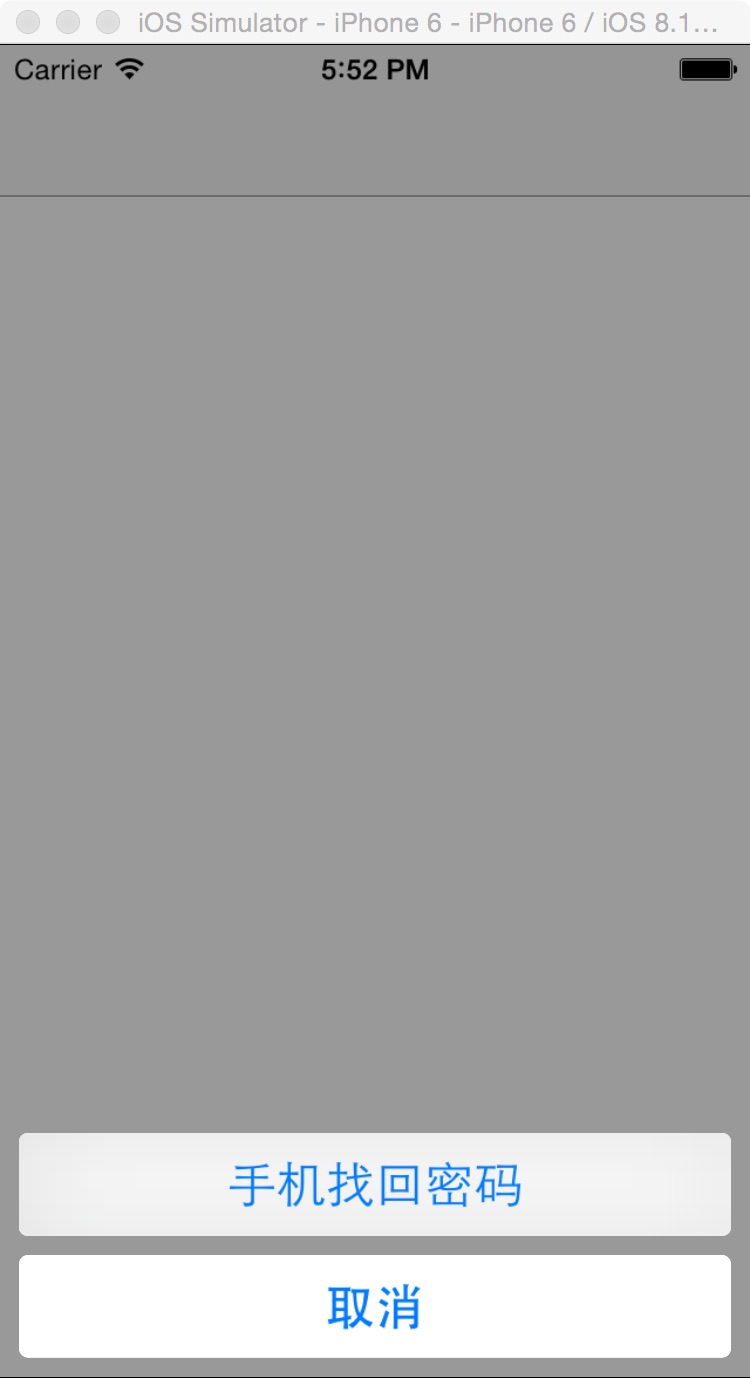
二,代码。
RootViewController.h
#import <UIKit/UIKit.h>
@interface RootViewController : UIViewController
<UIActionSheetDelegate>
@end

RootViewController.m

-(void)touchesBegan:(NSSet *)touches withEvent:(UIEvent *)event
{
  UIActionSheet *actionSheet=[[UIActionSheet alloc]initWithTitle:nil delegate:self cancelButtonTitle:@"取消" destructiveButtonTitle:nil otherButtonTitles:@"手机找回密码", nil];
  [actionSheet showInView:self.view];
}
#pragma mark - UIActionSheetDelegate
- (void)actionSheet:(UIActionSheet *)actionSheet clickedButtonAtIndex:(NSInteger)buttonIndex
{
  switch (buttonIndex) {
    case 0:
    {
      NSLog(@"--0--");
    }
      break;
    case 1:
    {
       NSLog(@"--1--");
    }
      break;
    default:
      break;
  }
}
- (void)willPresentActionSheet:(UIActionSheet *)actionSheet
{
  for (UIView *subViwe in actionSheet.subviews) {
    if ([subViwe isKindOfClass:[UIButton class]]) {
      UIButton *button = (UIButton*)subViwe;
      button.titleLabel.font=[UIFont systemFontOfSize:15];
      [button setTitleColor:[UIColor redColor] forState:UIControlStateNormal];
    }
  }
}
以上所述是小编给大家介绍的iOS中 UIActionSheet字体的修改,希望对大家有所帮助,如果大家有任何疑问请给我留言,小编会及时回复大家的。在此也非常感谢大家对靠谱客网站的支持!
最后
以上就是迷你悟空最近收集整理的关于iOS中 UIActionSheet字体的修改的全部内容,更多相关iOS中内容请搜索靠谱客的其他文章。
本图文内容来源于网友提供,作为学习参考使用,或来自网络收集整理,版权属于原作者所有。








发表评论 取消回复