我是靠谱客的博主 烂漫期待,这篇文章主要介绍github err:Youre using an RSA key with SHA-1, which is no longer allowed. Please use a newer clientERROR: You‘re using an RSA key with SHA-1, which is no longer allowed. Please use a newer client解决办法,现在分享给大家,希望可以做个参考。
ERROR: You‘re using an RSA key with SHA-1, which is no longer allowed. Please use a newer client
github仓库提交文件报错,笔者以前通过ssh来上传和下载文件的。github配置ssh,不需要登录
报错来源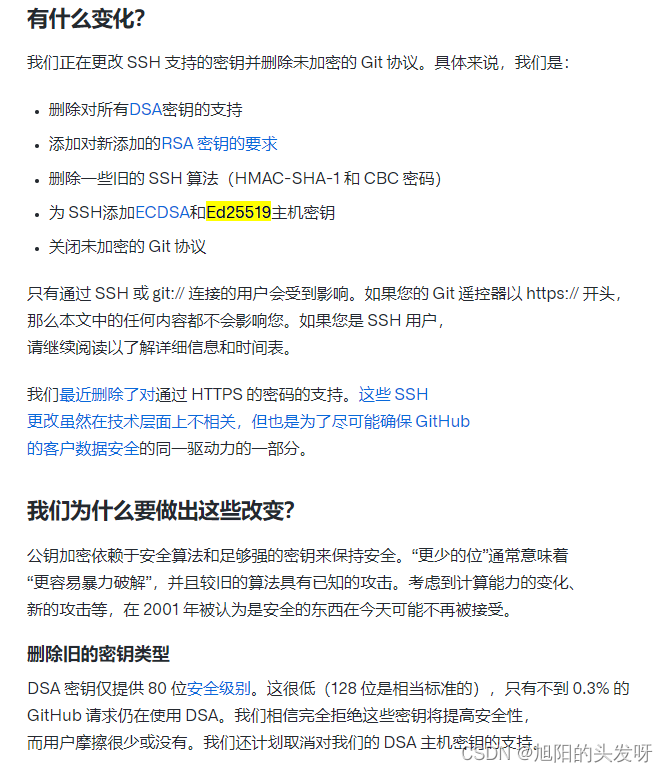
github文献
- 也就是说以前通过ssh/git://连接的用户现在都会有问题。
解决办法
- ssh-keygen -t ed25519 -C “your-email”
- cd /C/Users/user/.ssh/
- cat id_ed25519.pub
把这个key配置到github上面就可以正常连接github了。
github绑定key请参考
最后
以上就是烂漫期待最近收集整理的关于github err:Youre using an RSA key with SHA-1, which is no longer allowed. Please use a newer clientERROR: You‘re using an RSA key with SHA-1, which is no longer allowed. Please use a newer client解决办法的全部内容,更多相关github内容请搜索靠谱客的其他文章。
本图文内容来源于网友提供,作为学习参考使用,或来自网络收集整理,版权属于原作者所有。








发表评论 取消回复