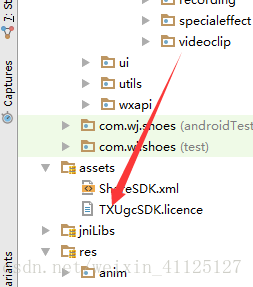
android 读取assets下指定文件到手机sd卡
直接上代码(经测试可用)
/**
 * 读取assets/TXUgcSDK.licence 许可证到手机sd卡
 */
private void readAssetsFile() {
    try {
        InputStream in = MyApplication.this.getClass().getClassLoader().getResourceAsStream("assets/TXUgcSDK.licence");
        File file = new File(myContext.getExternalFilesDir(null).getAbsolutePath() + "/TXUgcSDK.licence");
        FileOutputStream fos = new FileOutputStream(file);
        int len = 0;
        byte[] buffer = new byte[1024];
        while ((len = in.read(buffer)) != -1) {
            fos.write(buffer, 0, len);
            fos.flush();
        }
        in.close();
        fos.close();
    } catch (FileNotFoundException e) {
        e.printStackTrace();
    } catch (IOException e) {
        e.printStackTrace();
    }
}
最后
以上就是悲凉冷风最近收集整理的关于android 读取assets指定文件的全部内容,更多相关android内容请搜索靠谱客的其他文章。
本图文内容来源于网友提供,作为学习参考使用,或来自网络收集整理,版权属于原作者所有。








发表评论 取消回复