本篇文章给大家带来的内容是关于小程序popupwindow弹出框的实现代码,有一定的参考价值,有需要的朋友可以参考一下,希望对你有所帮助。
在上方弹出
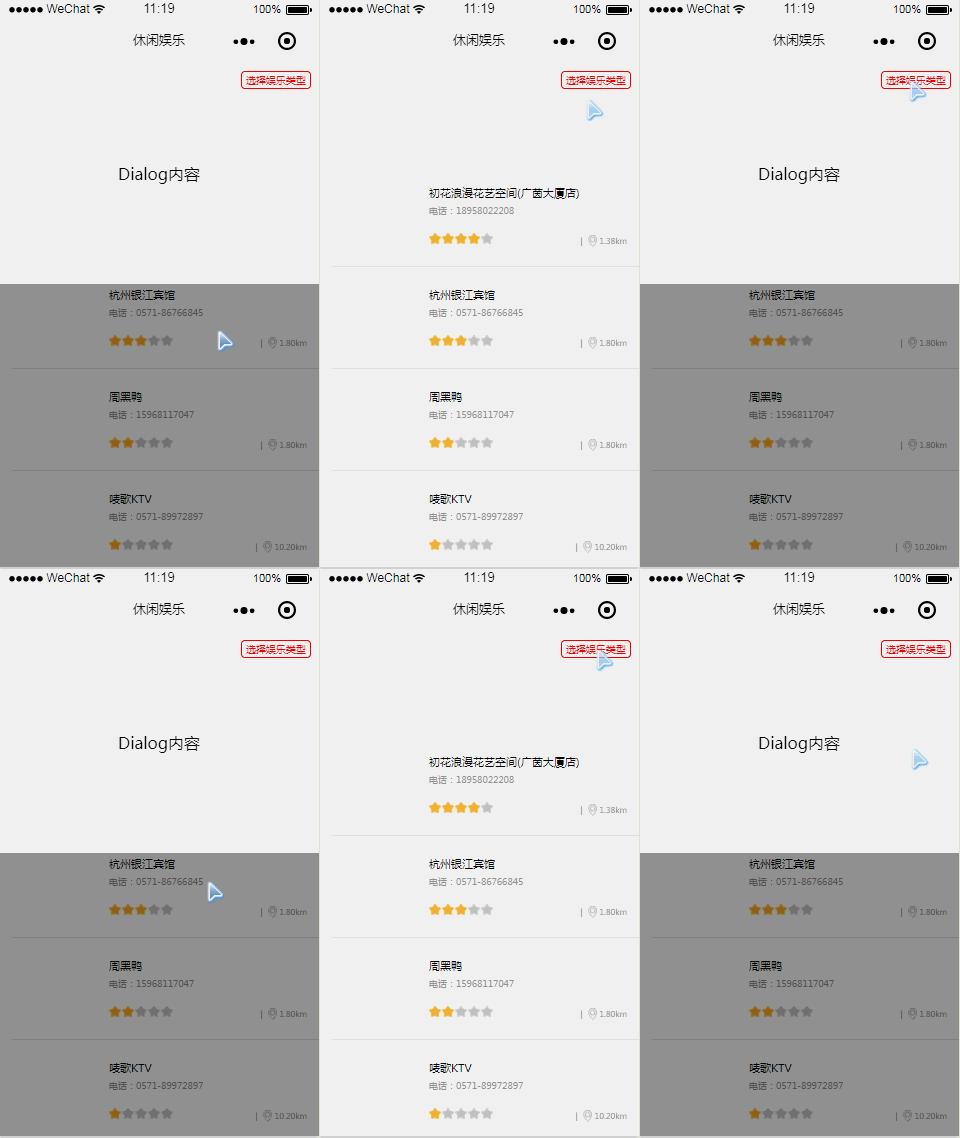
wxml
<view class="zan-dialog {{ showDialog ? 'zan-dialog--show' : '' }}">
  <view class="zan-dialog__mask" bindtap="toggleDialog" />
  <view class="zan-dialog__container">
    <view style="padding: 100px 0; text-align: center;">Dialog内容</view>
  </view></view>登录后复制
wcss
.zan-dialog__mask {
  position: fixed;
  top: 0;  left: 0;
  right: 0;
  bottom: 0;
  z-index: 10;
  background: rgba(0, 0, 0, 0.4);
  display: none;
  }
.zan-dialog__container {
  position: fixed;
  top: 0;
  width: 750rpx;
  background: white;
  transform: translateY(-150%);
  transition: all 0.4s ease;
  z-index: 12;
  }
.zan-dialog--show .zan-dialog__container {
  transform: translateY(0);
  }
.zan-dialog--show .zan-dialog__mask {
  display: block;
  }登录后复制
js
Page({ data: { showDialog: false
},//控制 pop 的打开关闭
toggleDialog() {
this.setData({
showDialog: !this.data.showDialog
});
},
})登录后复制在下方弹出
wxml
  <view class="zan-dialog {{ showDialog ? 'zan-dialog--show' : '' }}">
    <view class="zan-dialog__mask" bindtap="toggleDialog" />
    <view class="zan-dialog__container">
      <view style="padding: 100px 0; text-align: center;">Dialog内容</view>
    </view>
  </view>登录后复制
wcss
.zan-dialog__mask {
  position: fixed;
  top: 0;
  left: 0;
  right: 0;
  bottom: 0;
  z-index: 10;
  background: rgba(0, 0, 0, 0.4);
  display: none;
  }
.zan-dialog__container {
  position: fixed;
  bottom: 0;
  width: 750rpx;
  background: white;
  transform: translateY(150%);
  transition: all 0.4s ease;
  z-index: 12;
  }
.zan-dialog--show .zan-dialog__container {
  transform: translateY(0);
  }
.zan-dialog--show .zan-dialog__mask {
  display: block;
  }登录后复制
js
Page({ data: { showDialog: false
},//控制 pop 的打开关闭
toggleDialog() {
this.setData({
showDialog: !this.data.showDialog
});
},
})登录后复制相关推荐:
在微信小程序里添加弹出对话框
微信小程序使用modal组件弹出对话框实例分享
以上就是小程序popupwindow弹出框的实现代码的详细内容,更多请关注靠谱客其它相关文章!

最后
以上就是过时鸡翅最近收集整理的关于小程序popupwindow弹出框的实现代码的全部内容,更多相关小程序popupwindow弹出框内容请搜索靠谱客的其他文章。
本图文内容来源于网友提供,作为学习参考使用,或来自网络收集整理,版权属于原作者所有。








发表评论 取消回复