el表达式要想使用if else 必须得用<c:choose></c:choose>标签
比如
<c:choose>
<c:when test="${not empty getchecknum}">
如果getchecknum对象不为空 如何如何
</c:when>
<c:otherwise>
否则如何如何
</c:otherwise>
</c:choose>
例子
<form id="searchForm" method="post">
<div class="tab">
<h3>审批意见</h3>
<p><textarea rows="" cols="" placeholder="请输入审批意见..." id="remarks" required name="remarks" class="tab-content"></textarea></p>
</div>
<c:choose>
<c:when test="${not empty getchecknum}">
<div style="margin-bottom: 20px;">
<label for="operator">经办人:</label>
<input id="operator" name="operator" value="${getchecknum.operator }">
<label for="operatorPhone" style="margin-left: 40px;">经办人电话:</label>
<input id="operatorPhone" name="operatorPhone" value="${getchecknum.operator_phone }" class="number">
<label for="operatorQq" style="margin-left: 40px;">经办人QQ:</label>
<input id="operatorQq" name="operatorQq" value="${getchecknum.operator_qq }">
</div>
</c:when>
<c:otherwise>
<div style="margin-bottom: 20px;">
<label for="operator">经办人:</label> <input id="operator"
name="operator" value="${loginUser.name }"> <label
for="operatorPhone" style="margin-left: 40px;">经办人电话:</label> <input
id="operatorPhone" name="operatorPhone"
value="${loginUser.phone }"> <label
for="operatorQq" style="margin-left: 40px;">经办人QQ:</label> <input
id="operatorQq" name="operatorQq"
value="">
</div>
</c:otherwise>
</c:choose>
</form>
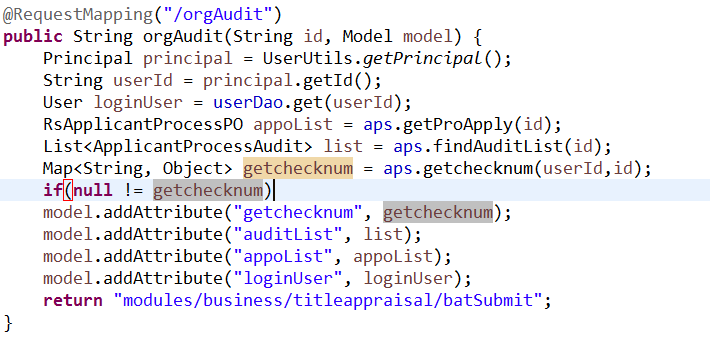
最后
以上就是优雅麦片最近收集整理的关于el表达式的if else用法 随便记录下的全部内容,更多相关el表达式的if内容请搜索靠谱客的其他文章。








发表评论 取消回复